
Default Email Sender
This article will guide you through updating the Default Email Sender. Updating this option will result in showing different email address when sending the Surveys.
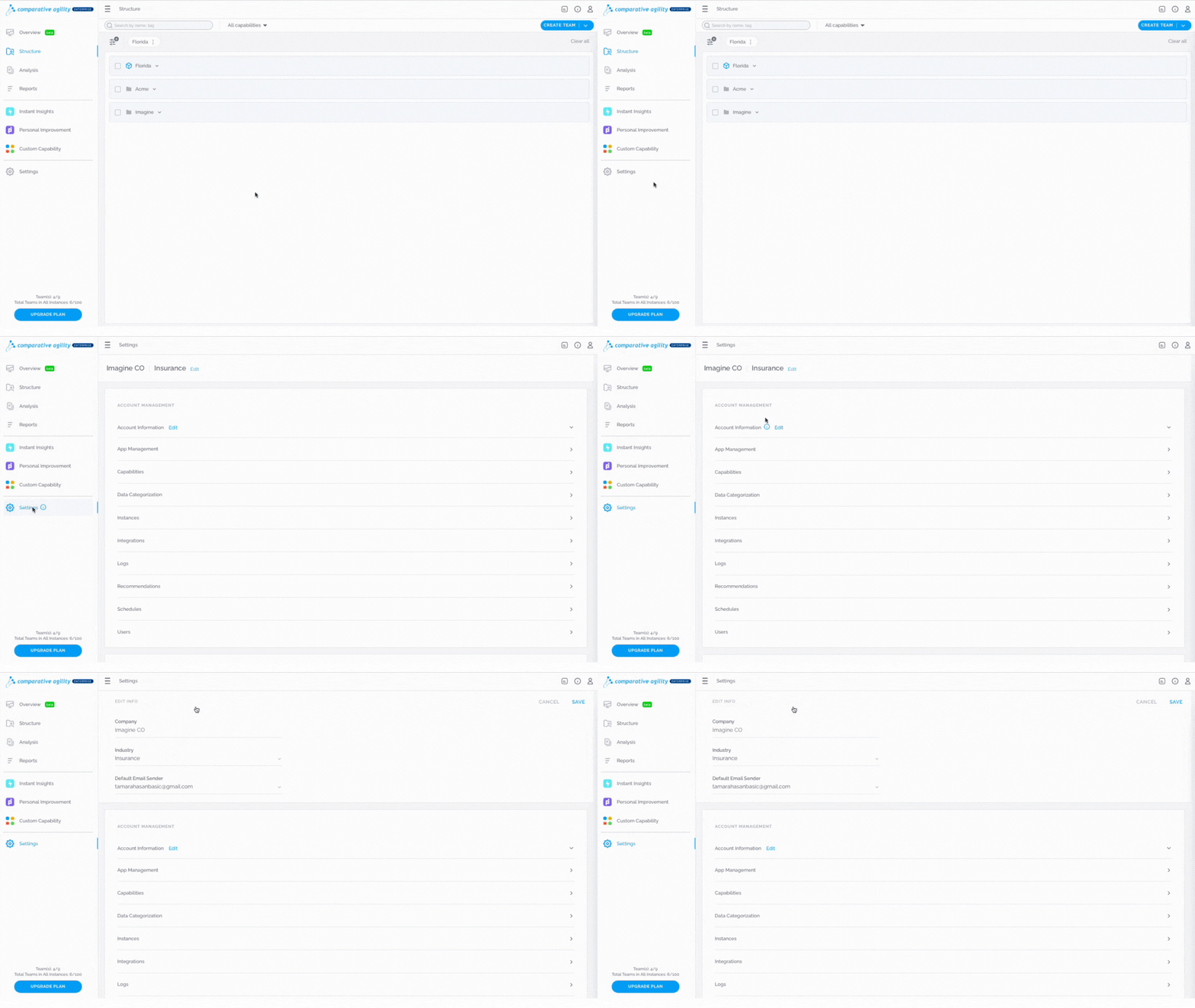
Navigating to the Edit Info screen
- Open Settings
- Click on the Edit button next to the name of the Industry
The short video below shows you how to navigate to the Edit Info screen
Updating Default Email Sender
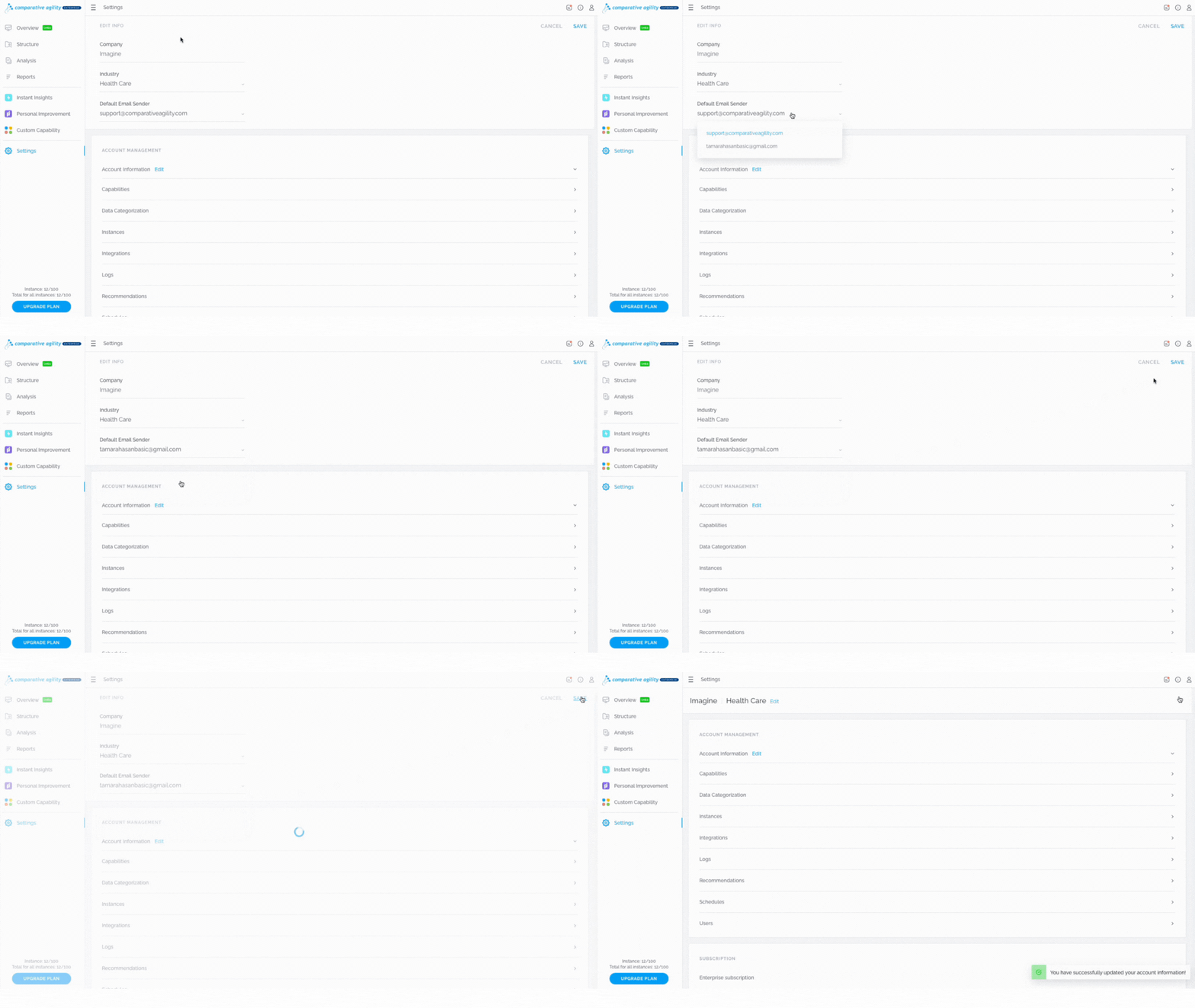
By default, the email address that is selected is support@comparativeagility.com. To update it, simply:
- Within the Edit Info screen, click on the dropdown menu
- Select the other email address
In the short video below we show you how to update the Default Email Sender
 Note: Only the account owner and super admin can update the Default Email Sender.
To learn more about different roles, please visit our Help Center article User Management.
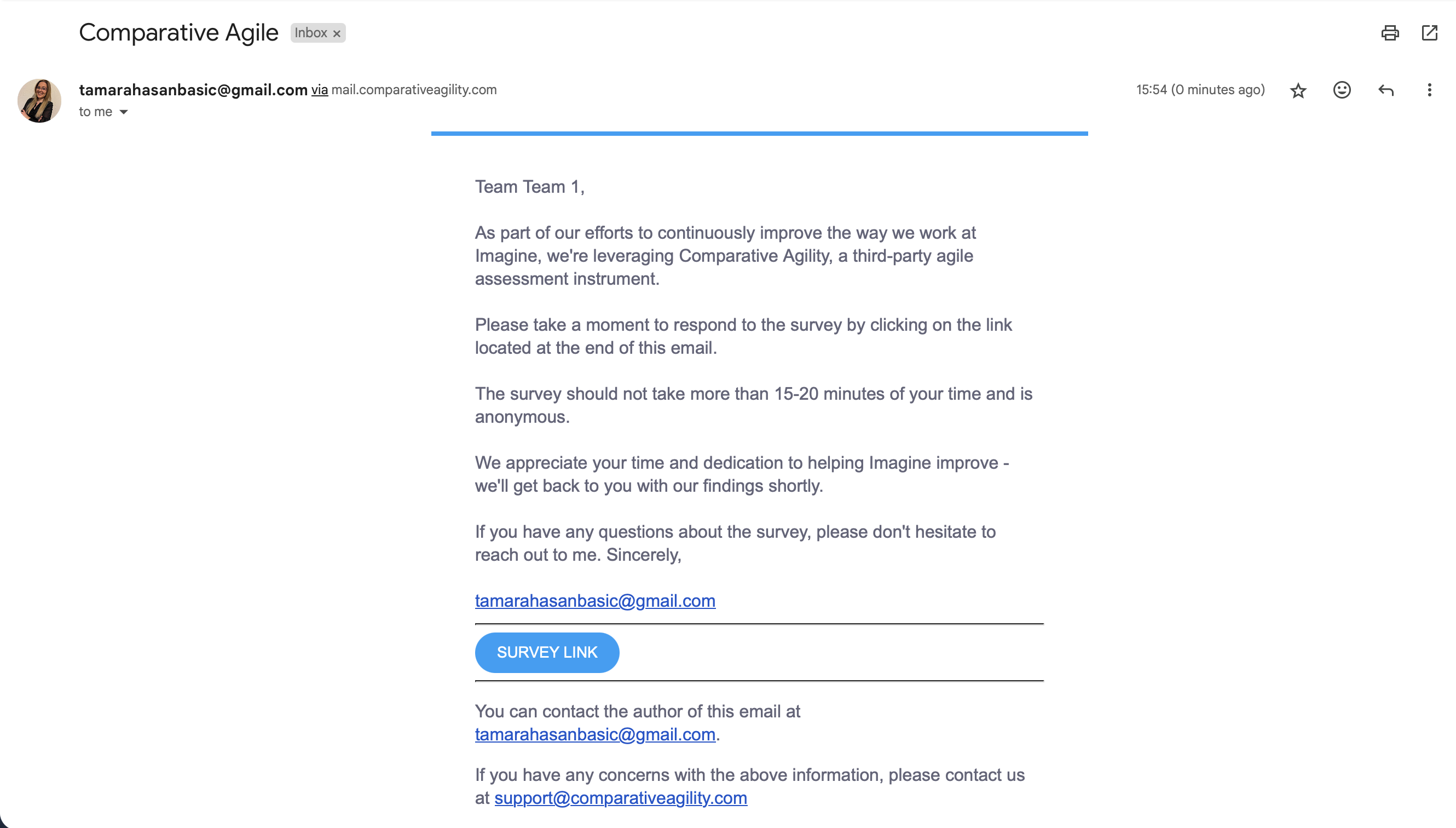
The screenshot below shows you what the email looks like
If you ever need any assistance or have any questions please reach out to our support team at support@comparativeagility.comand we will be more than happy to assist you.