
Preview Statements Screen
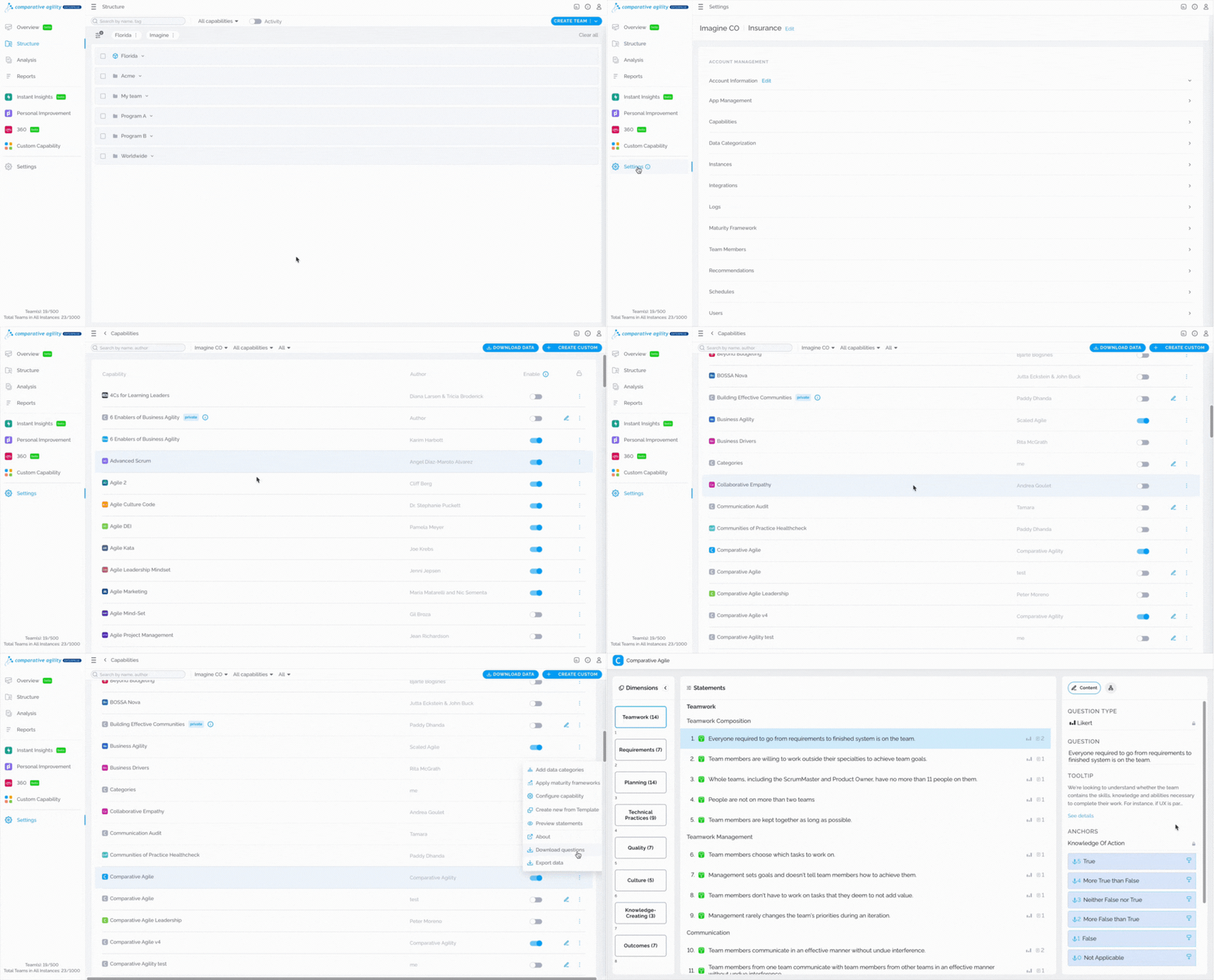
The Preview Statements section is the screen where you can view information regarding your survey in an easy and intuitive way. In this screen, you can preview the statements, the tooltips, and the anchors.
Navigating to Preview Statements
To get to the Preview Statements screen follow the easy steps below:
- Open Settings
- Click on the Capabilities Screen
- Locate the capability you would like to preview
- Click on the three dots
- Select the Preview Statements option
The short video below shows you how to navigate to preview statements
If you have any questions or need assistance, don’t hesitate to reach out to our support team at support@comparativeagility.comand we will be more than happy to help you.