
Lock organization's capabilities
This article will guide you on how to lock an organization’s capabilities. With this feature, you are restricting users from enabling capabilities and only permitting access to pre-approved ones.
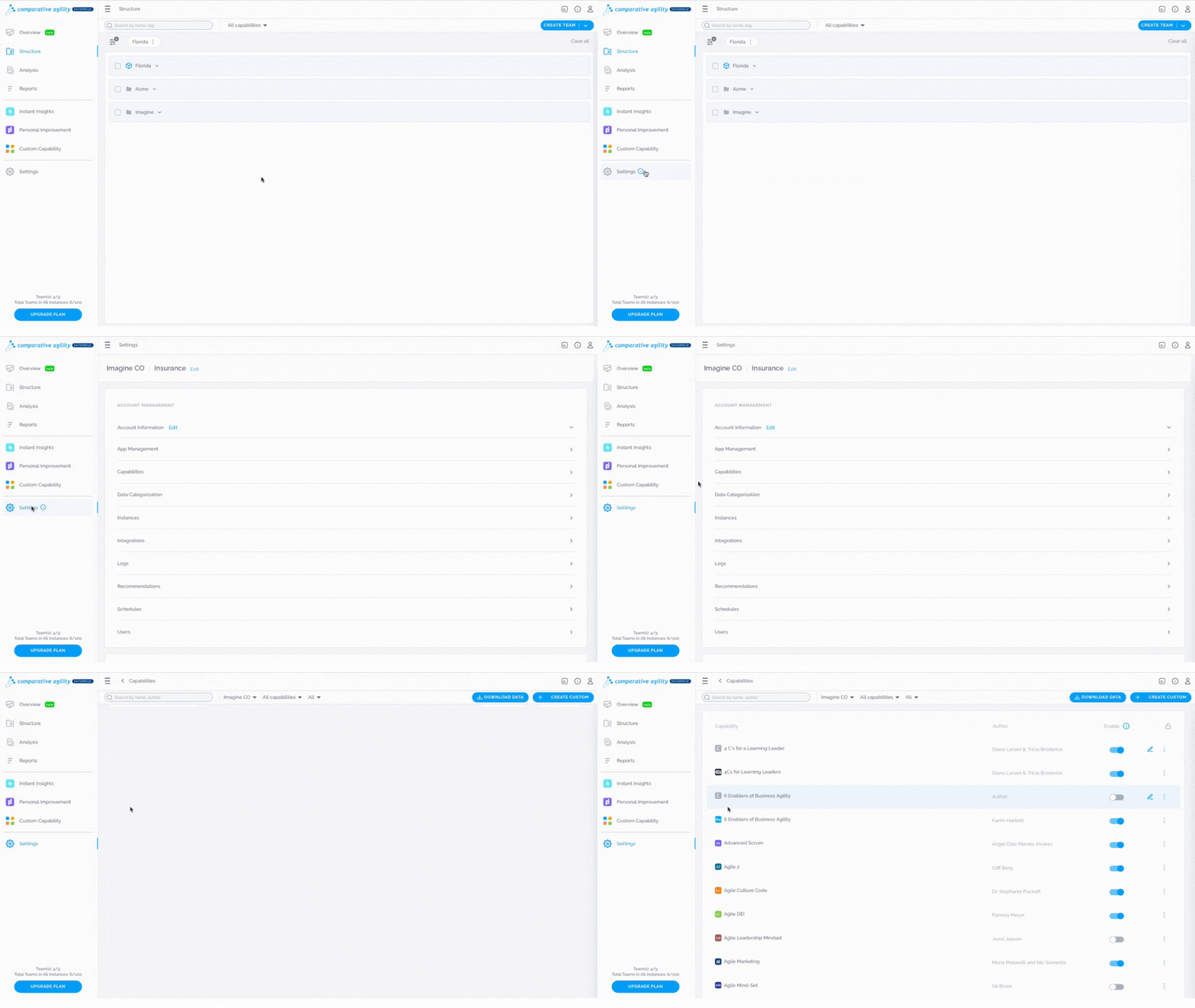
Navigating to the Capabilities screen
- Open Settings
- Click on the Capabilities
In the short video below we show you how to navigate to the Capabilities screen
Lock Capabilities
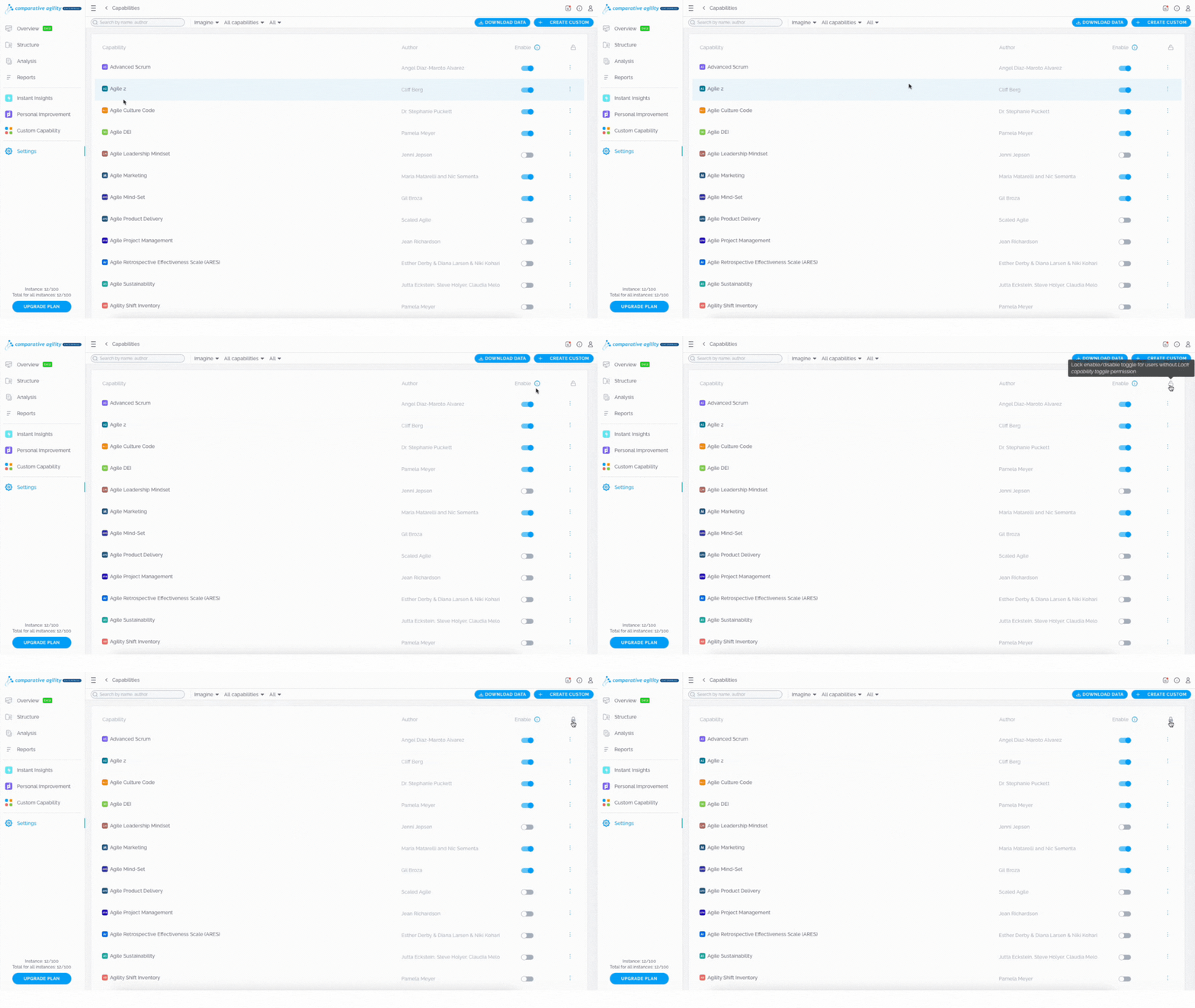
To lock all capabilities, simply:
- Within the Capabilities screen navigate to the Lock icon
- Click on it
- All the capabilities will be locked instantly
The short video below shows you how to lock capabilities
 Note: Only the account owner and super admin can lock the capabilities if not defined otherwise.
To learn more about custom roles and their available features, please visit our Help Center article Custom Roles.
Unlock Capabilities
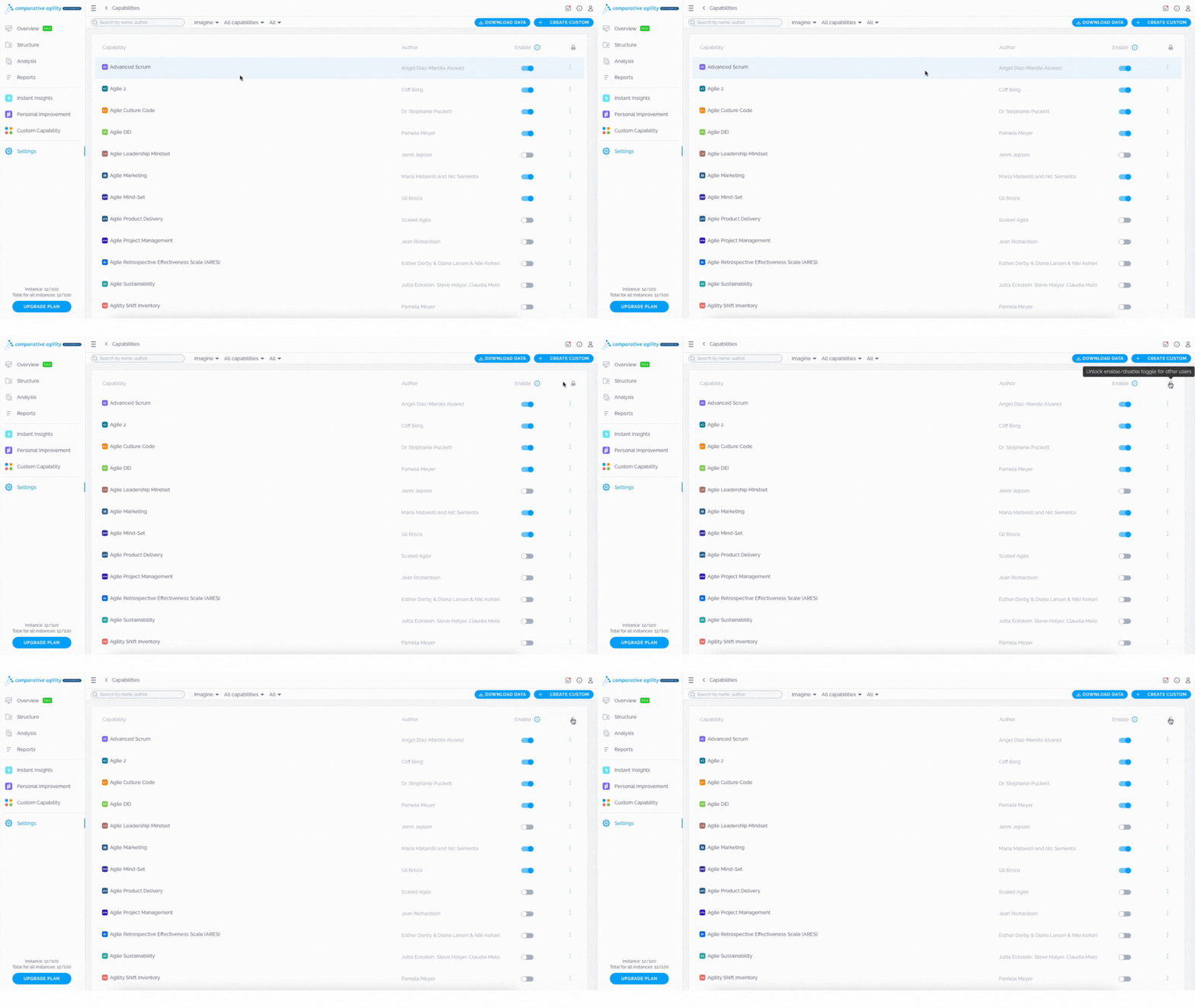
In case you would like to unlock capabilities, follow these steps:
- Within the Capabilities screen navigate to the Lock icon
- Click on it
- All the capabilities are now unlocked and users can enable and disable them
In the short video below we show you how to unlock capabilities
 If you ever need any assistance or have any questions please reach out to our support team at support@comparativeagility.comand we will be more than happy to assist you.