
Facilitator Mode
This game-changing feature allows you to conduct live surveys, enabling real-time interactions and important conversations with your team members during the assessment process. Facilitator Mode empowers you to gather insights, spark discussions, and drive meaningful engagement directly within the survey environment.
Navigating to the Facilitator Mode
- Log in to your Comparative Agility account
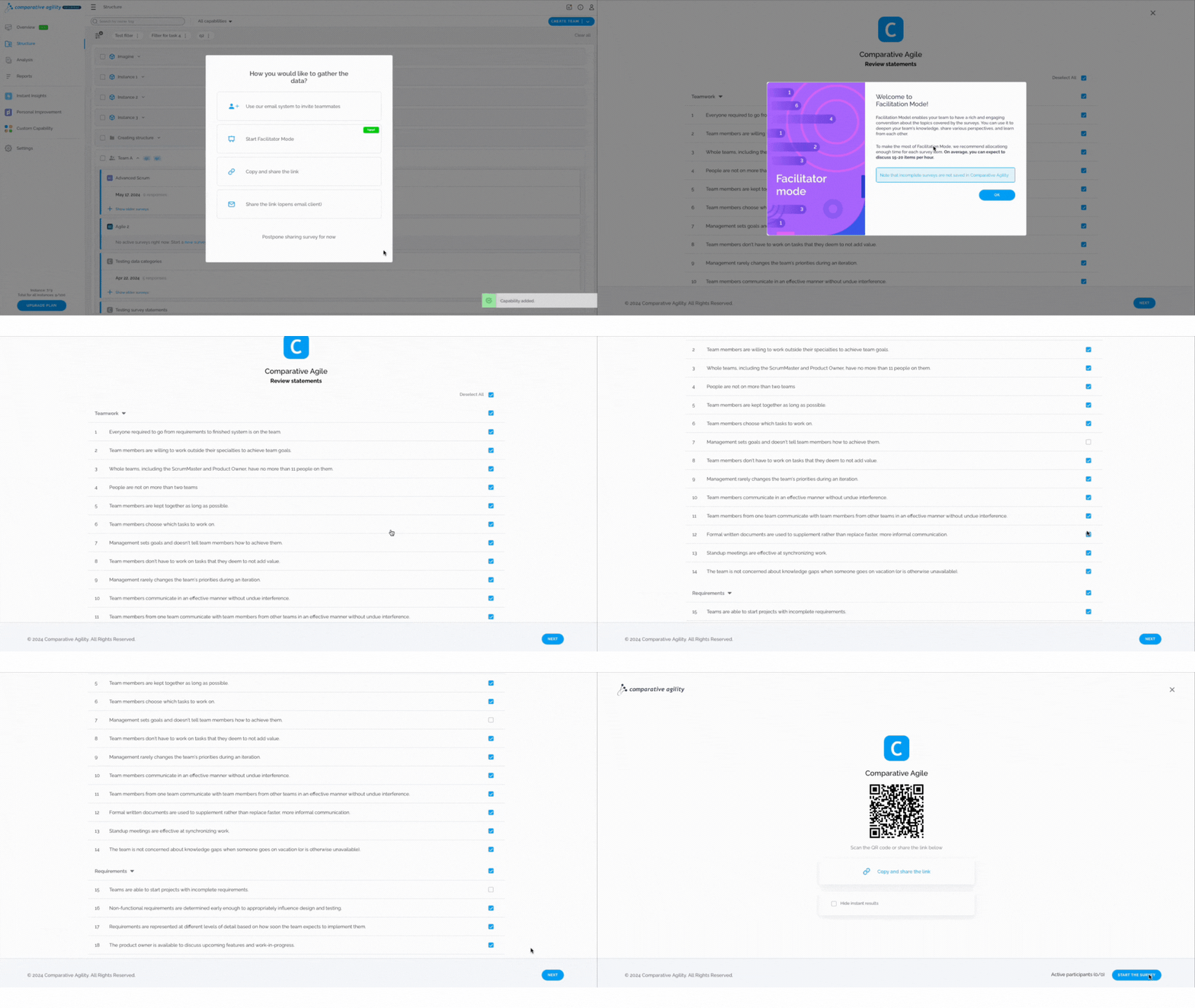
- Choose the assessment you wish to conduct using Facilitator Mode
- Select the dimensions and statements that you want to appear during the live survey
- Initiate the Facilitator Mode to start the survey and engage in real-time conversations
In the short video below we show you how to navigate to the Facilitator Mode
 To learn more about adding the assessment to a specific team, please visit our Help Center article Structure Screen.
Inviting team members to the live survey
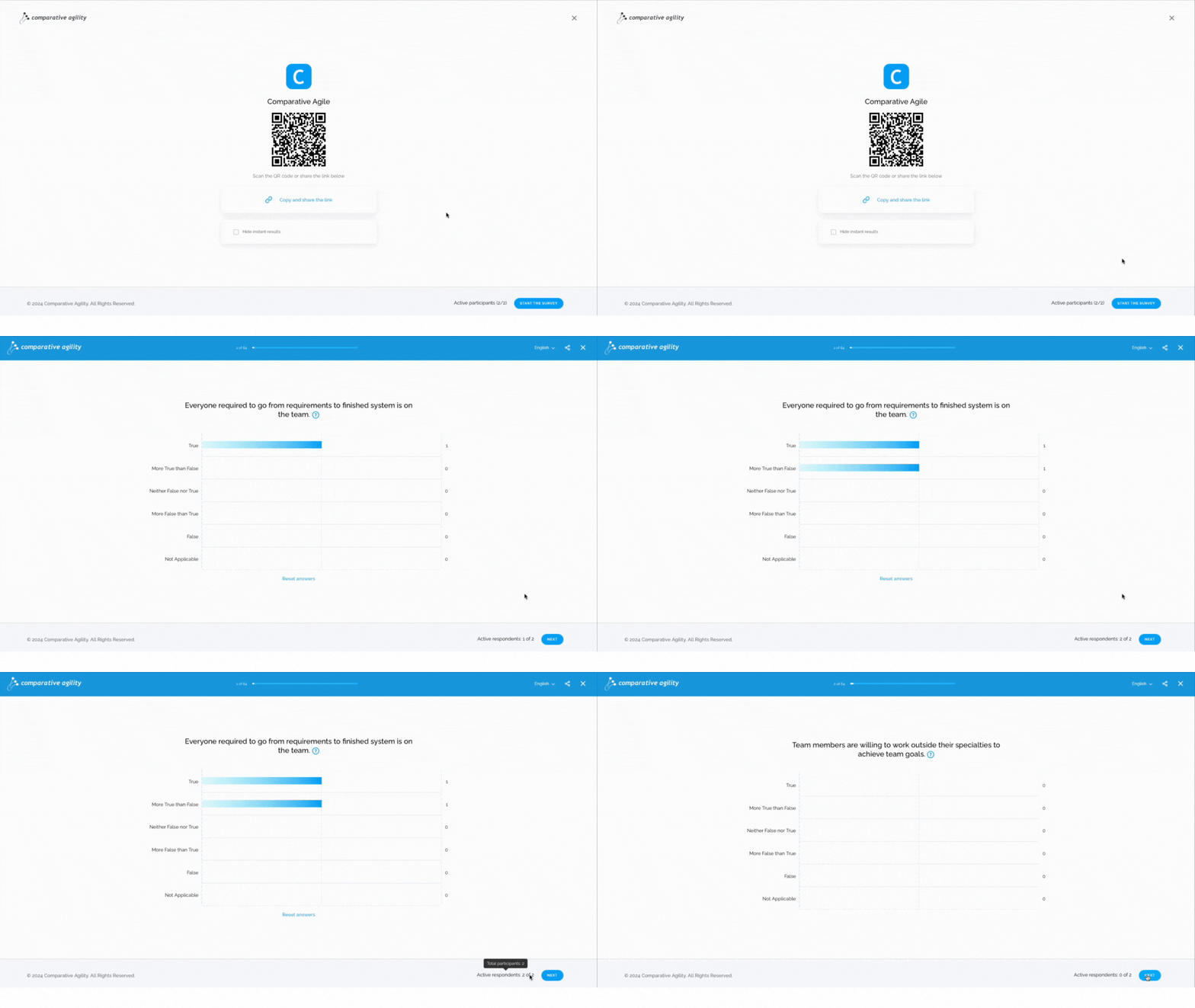
While initiating a Facilitated survey, you will be able to Copy and share the link in order to invite team members to join or use the QR code as an invitation.
The video below shows you where are QR code and the Copy and Share link button
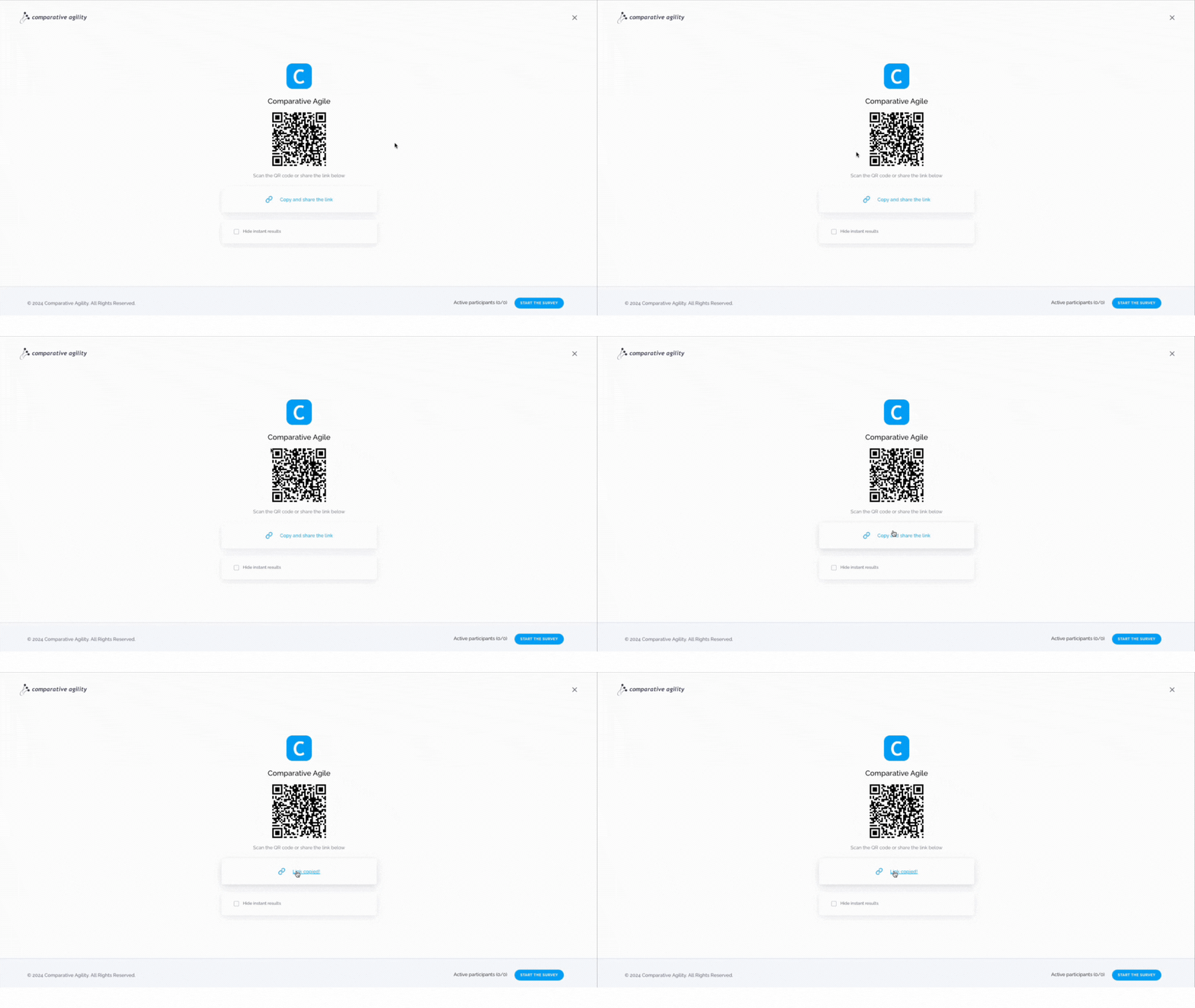
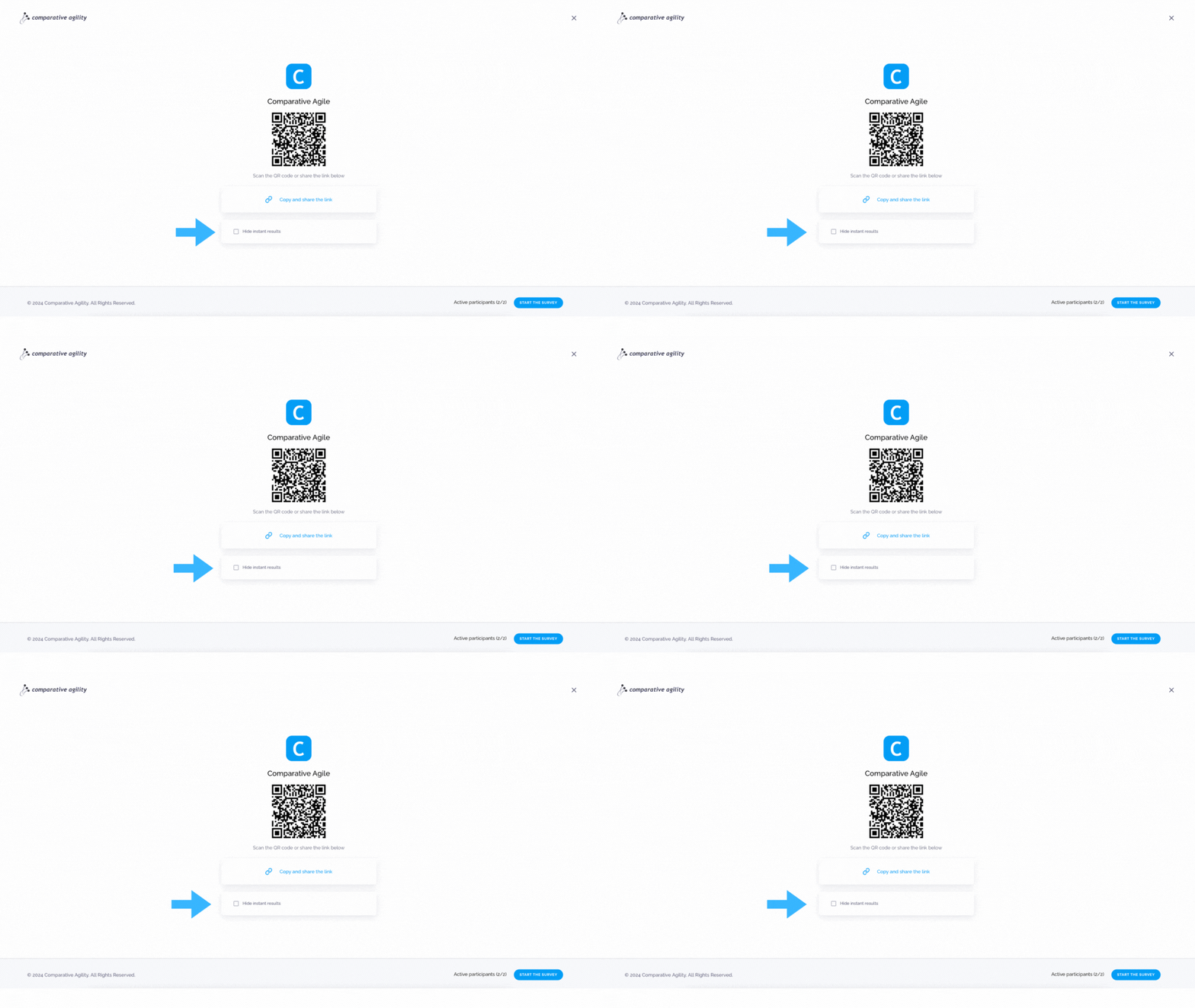
Hiding instant results If you prefer to conceal immediate results, select the corresponding option by checking the Hide instant results box before starting the survey. Unless you have opted to hide immediate feedback, results will be visible instantly.
In the screenshot below we show you where to Hide instant results
 Number of participants
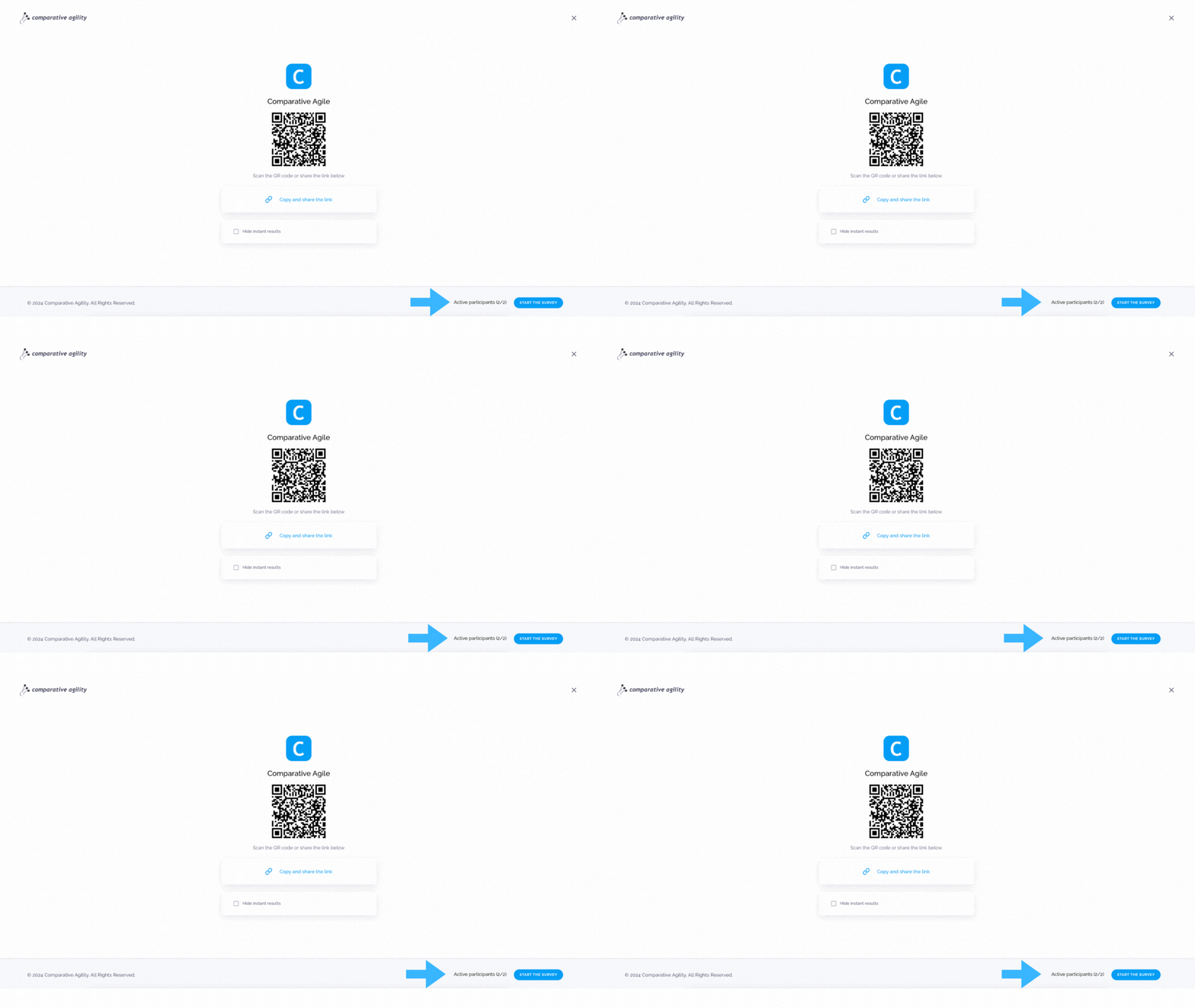
When you send your invitation the number of active participants will increase in the bottom right part of the screen as people are joining the facilitated survey.
The screenshot below shows you where to find the Active participant count
 Facilitating the survey
To conduct the facilitated survey efficiently, monitor the Response rate indicator in the lower right corner. This will guide you on when to advance to the next question.
Facilitating the survey
To conduct the facilitated survey efficiently, monitor the Response rate indicator in the lower right corner. This will guide you on when to advance to the next question.
In the short video below we show you how to facilitate a survey in Facilitator mode
 Complete the survey and Generate a report
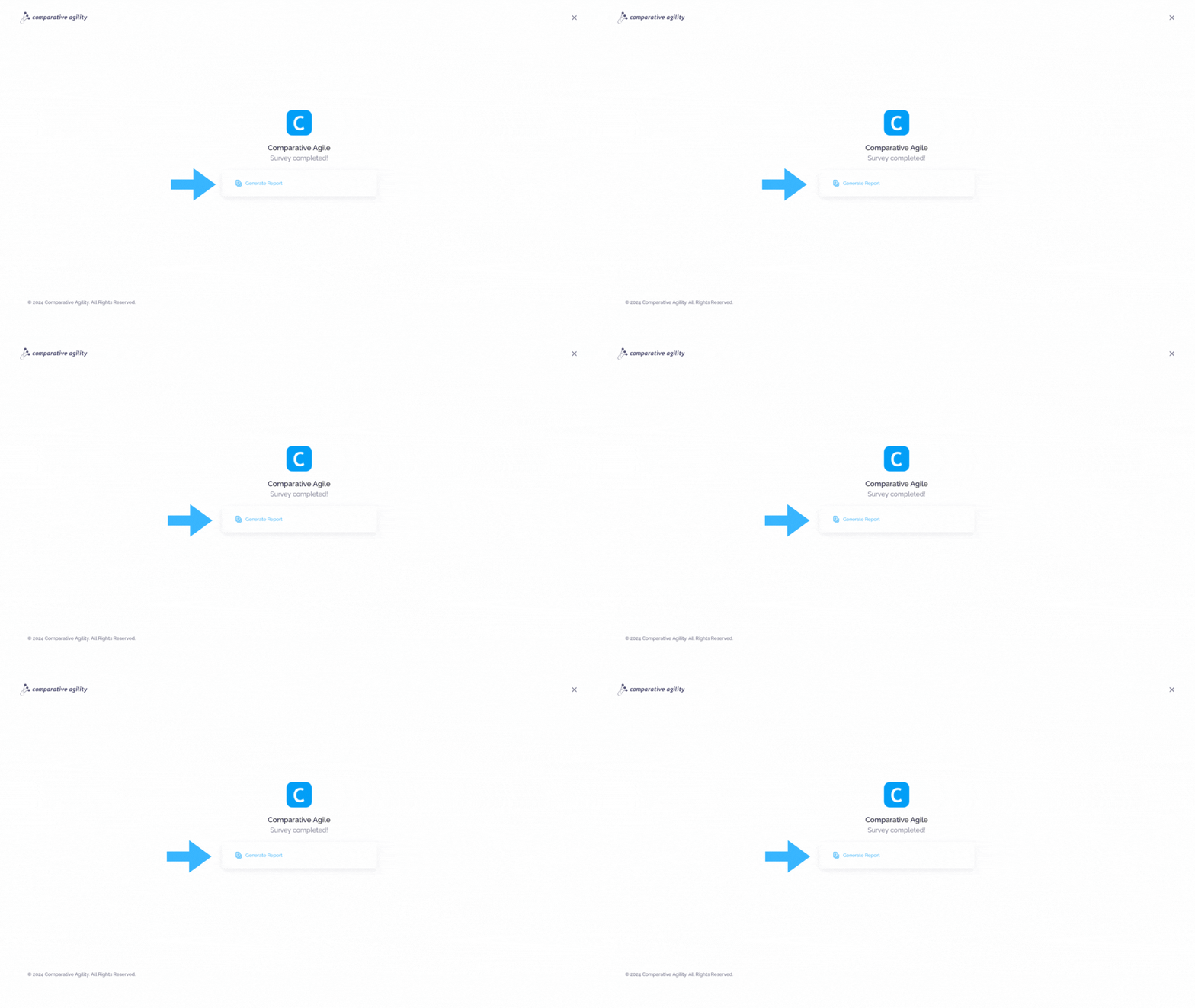
After navigating through all the questions, select Complete to either Generate a report of the survey findings or conclude the survey session.
The screenshot below shows you where to find the Generate Report button
To learn more about other ways of closing the survey, please visit our Help Center article Closing Surveys in Facilitator Mode.
If you ever need any assistance or have any questions please reach out to our support team at support@comparativeagility.comand we will be more than happy to assist you.