
Export Account Users
In this article, we will guide you through exporting account users.
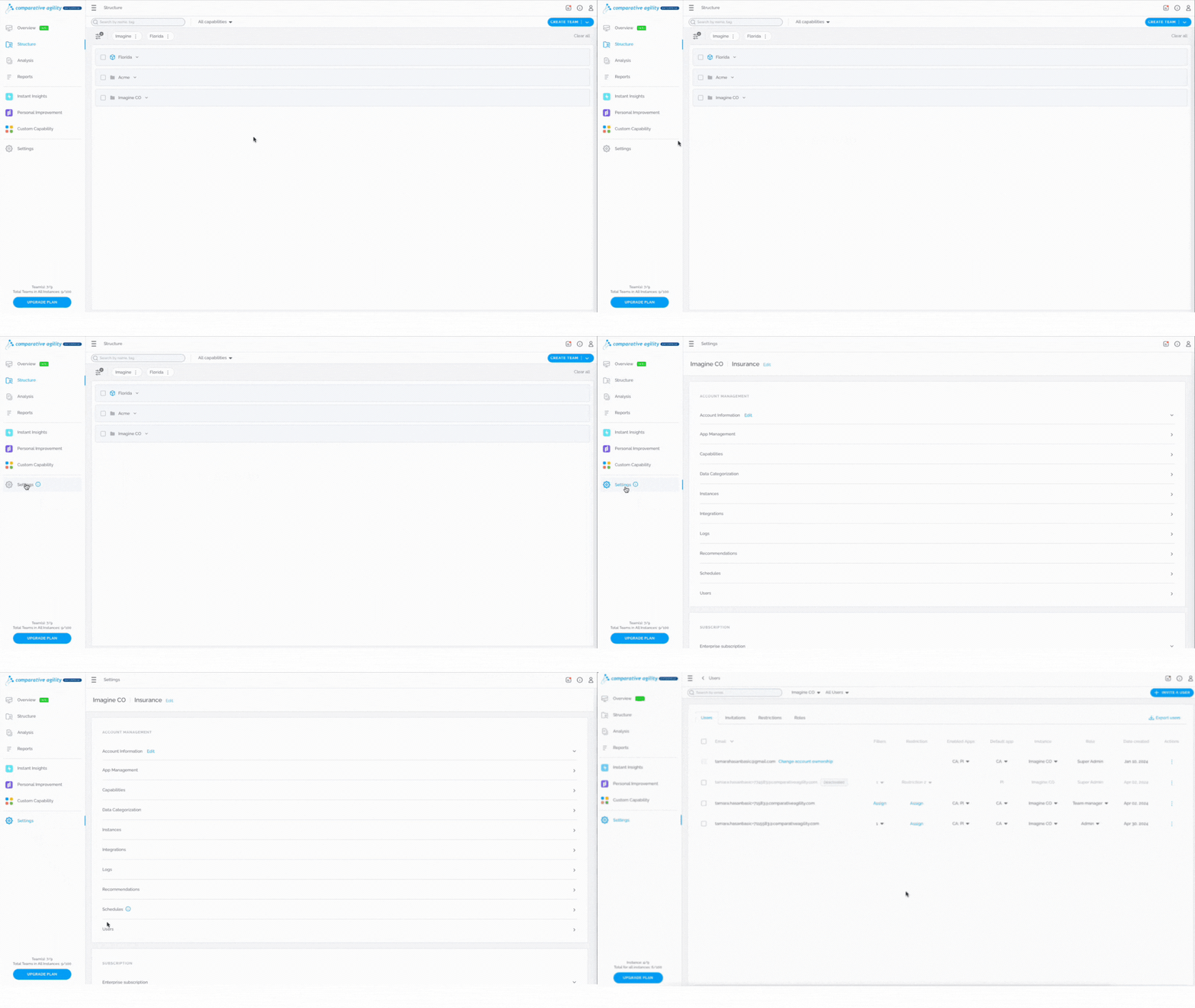
Navigating to the Users Screen
- Open Settings
- Navigate to Users
In the short video below we show you how to navigate to the Users Screen
Export Users
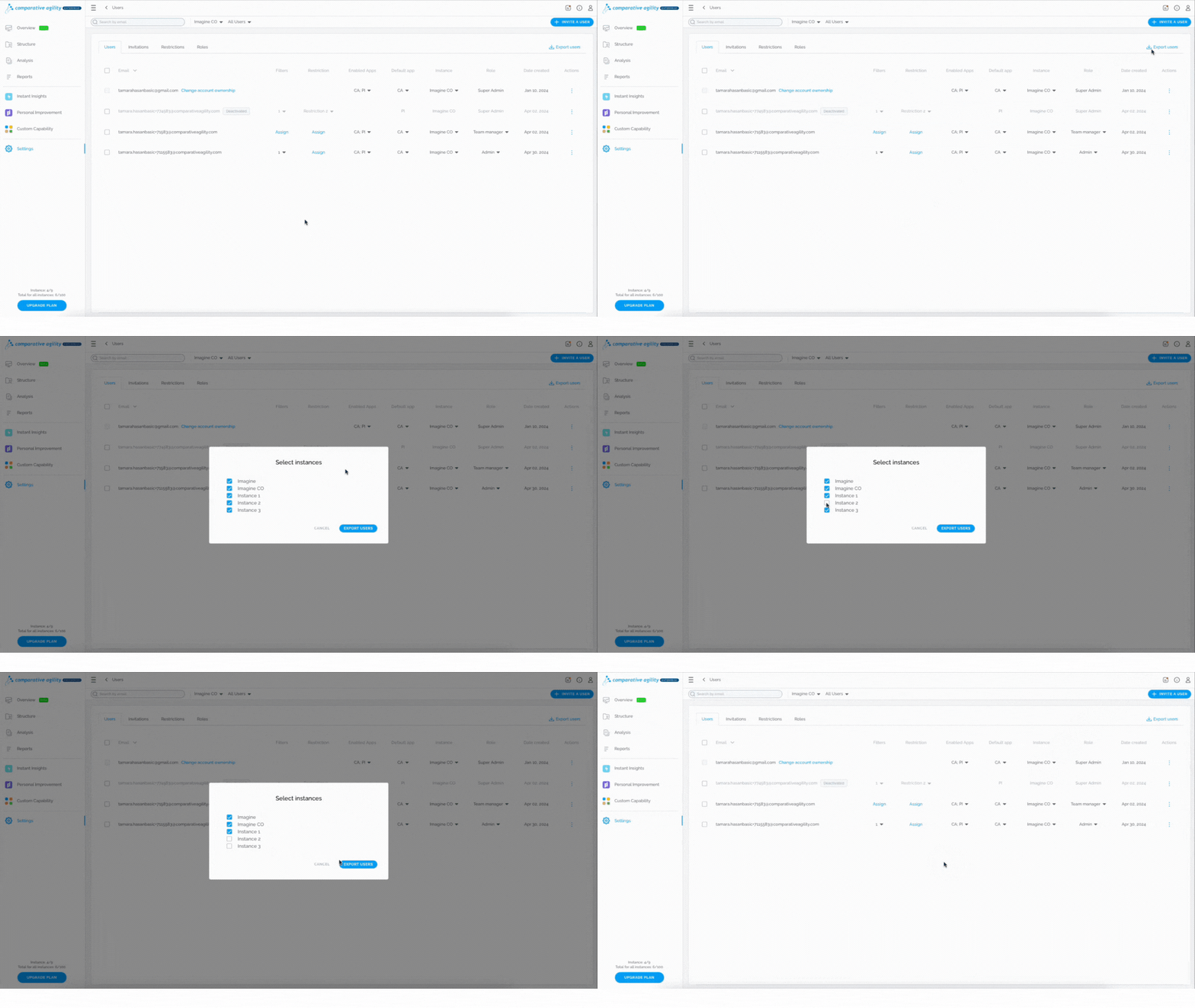
- While on the Settings Screen, click on the Export Users option
- Select/deselect Instances that you would like to include
- Proceed with the Export Users button
- The file will be exported instantly
The short video below shows you how to export users
 If you ever need any assistance or have any questions please reach out to our support team at support@comparativeagility.comand we will be more than happy to assist you.