
Change or Reset your Password
This article will show you how to change or reset your password, depending on whether you are logged in or logged out of Comparative Agility.
Change Your Password
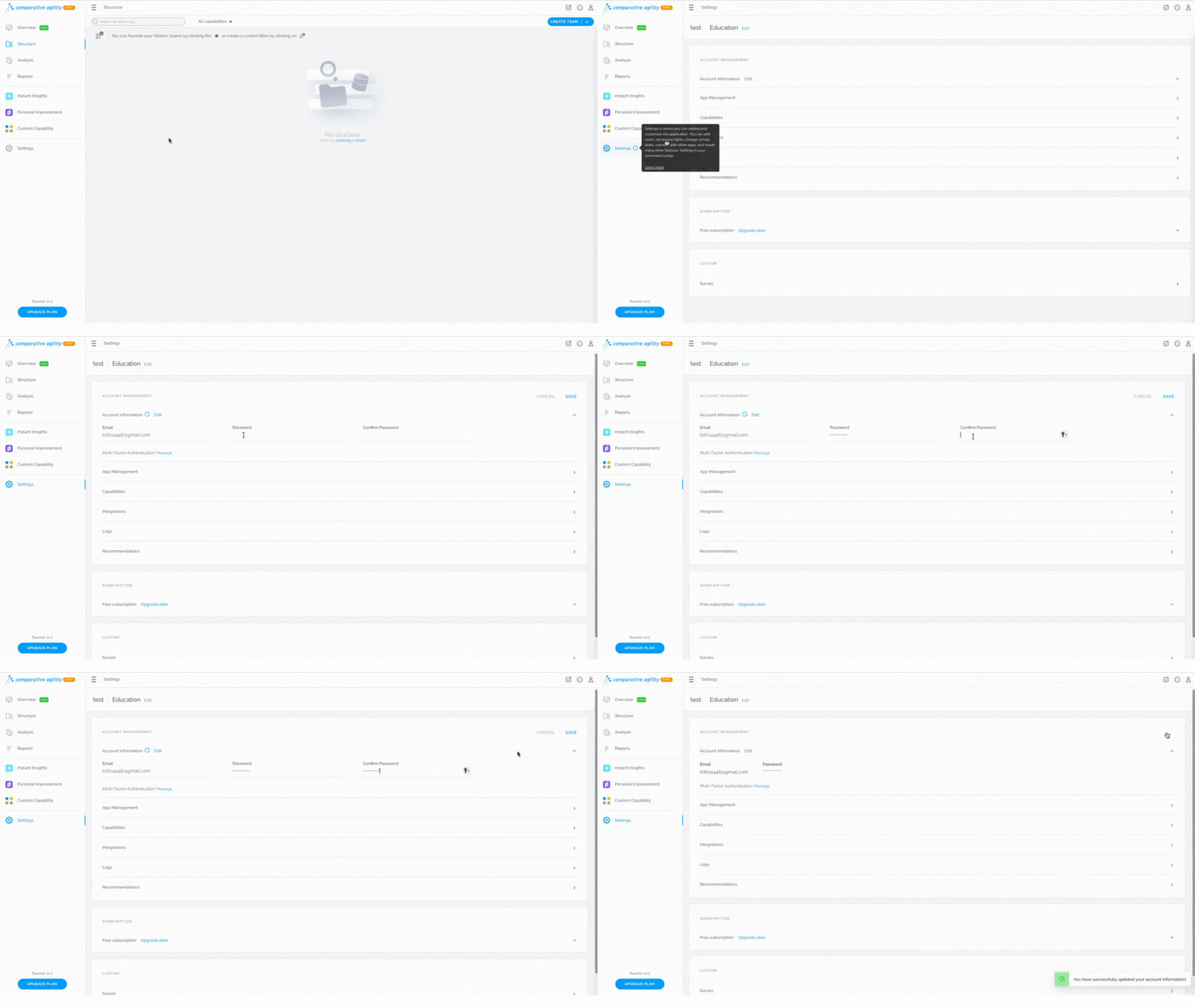
To change your password while you are already logged in, simply:
- Open Settings
- Click Edit next to Account information
- Type in your new password
- Save
The short video below shows you how to change your password while logged in
Reset Your Password
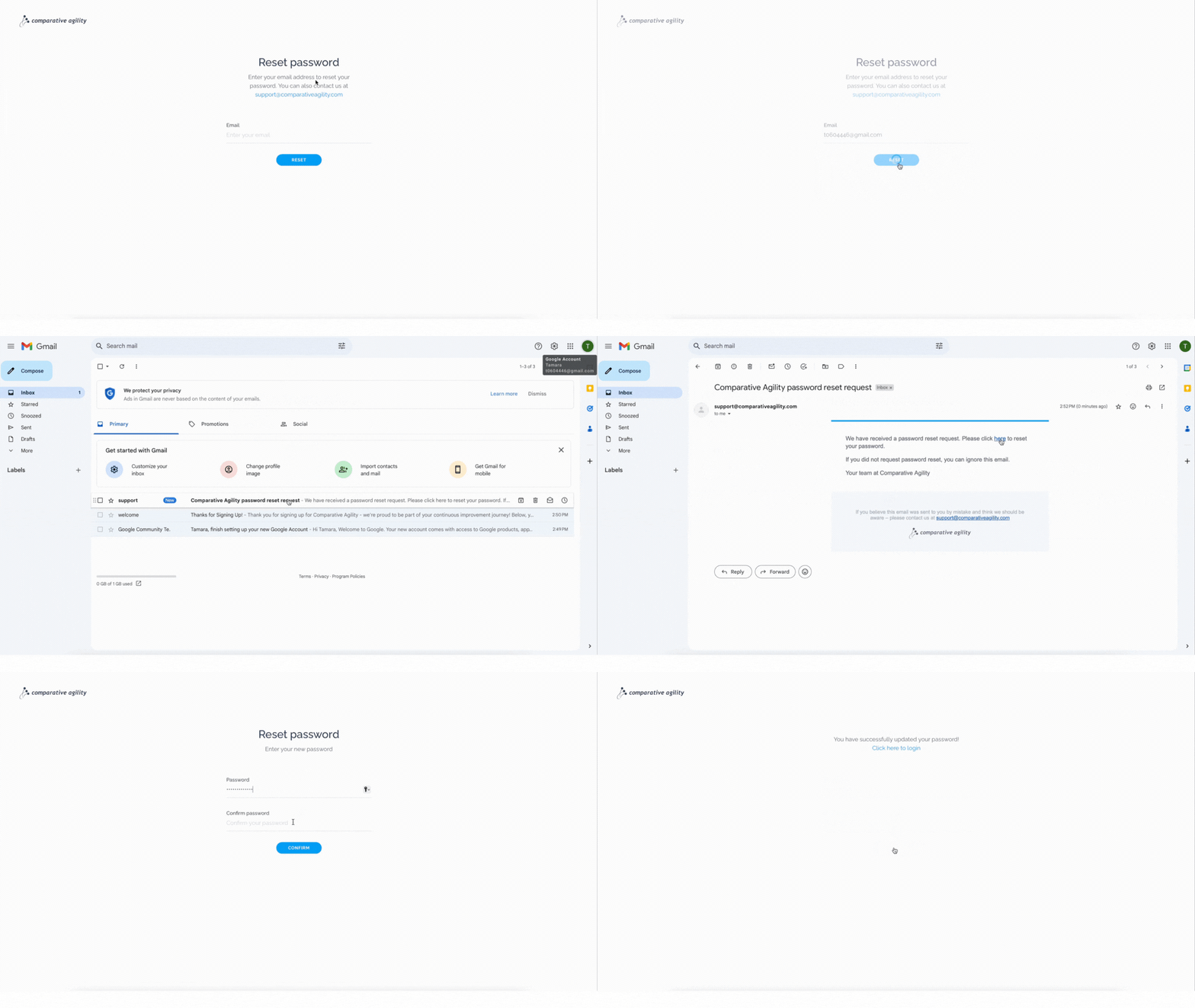
To reset your password if you are logged out from Comparative Agility, follow these steps:
- Open the Reset password page
- Type in your email address
- Open your email inbox
- Locate the email that we sent you
- Click on the hyperlinked text and reset your password
In the short video below we show you how to reset your password if you are logged out
If you ever need any assistance or have any questions please reach out to our support team at support@comparativeagility.comand we will be more than happy to assist you.