
Edit info
This article will guide you through changing the Company name and its industry.
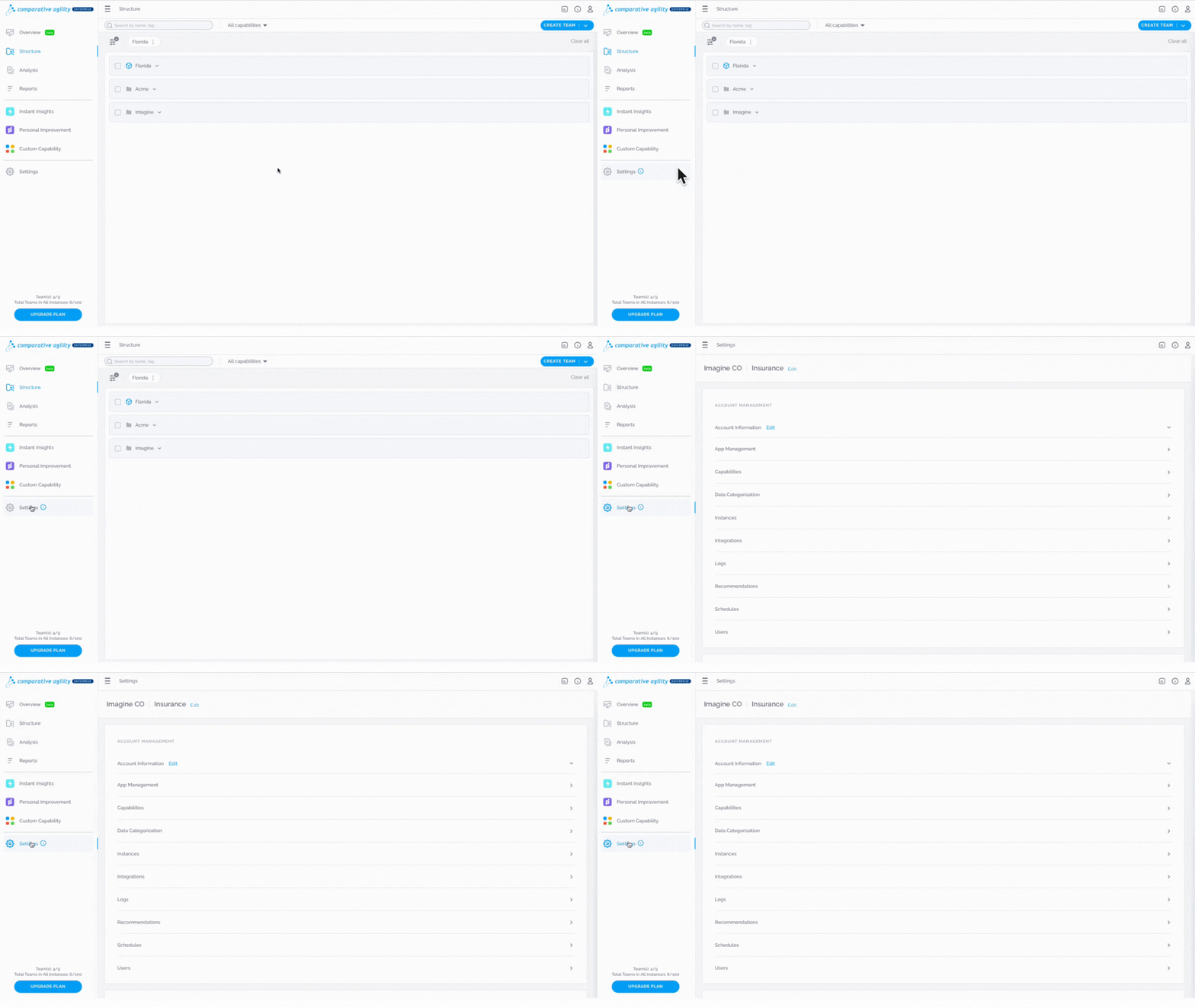
Navigating to the Settings Screen
- Log in to your Comparative Agility account
- Open Settings
In the short video below we show you how to navigate to the Settings Screen
Update the Company name
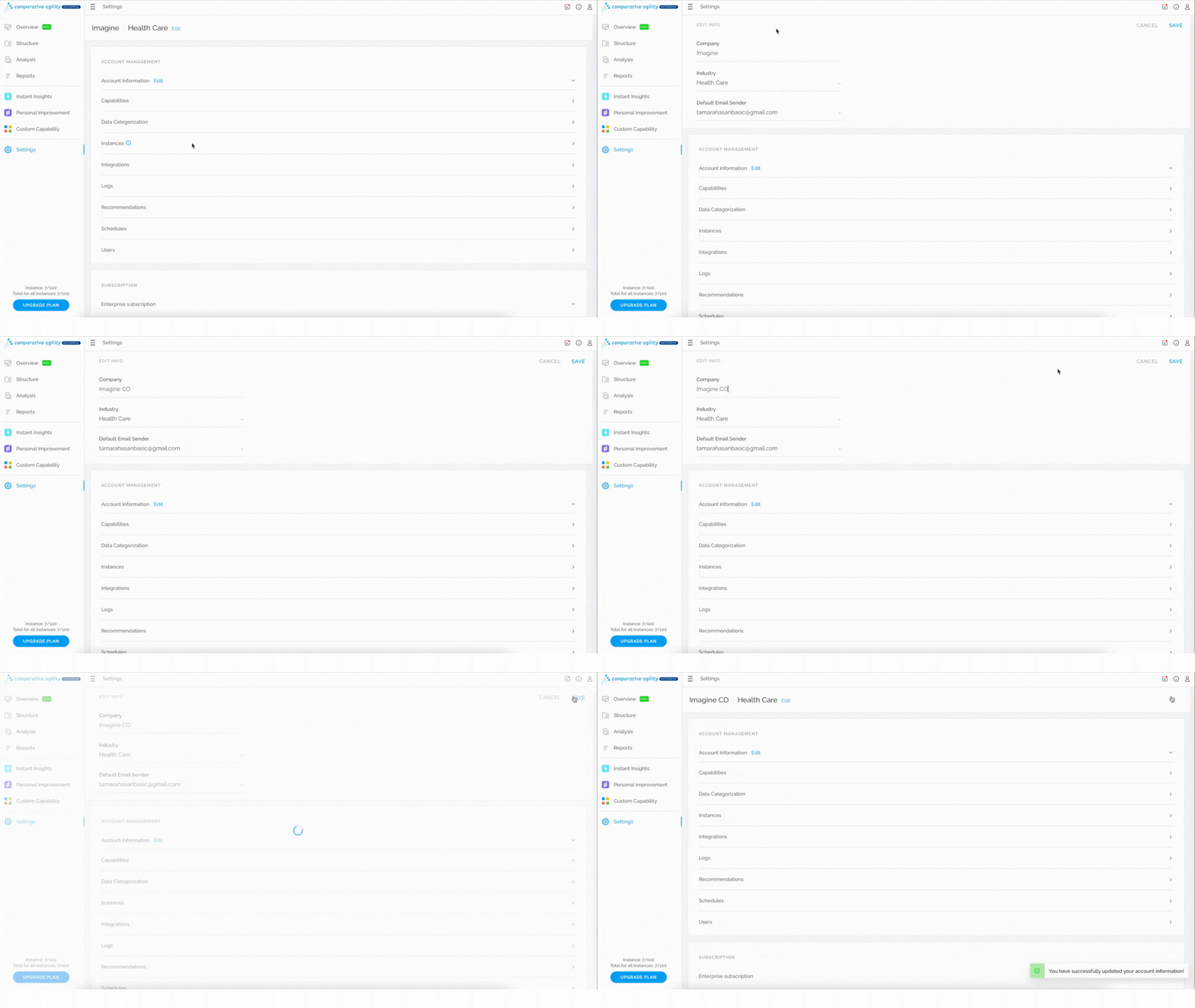
To change the Company name, simply:
- Navigate to the Edit button next to the Company name
- Update the Company name
- Click on the Save button
The short video below shows you how to update the Company name
 Update the Industry
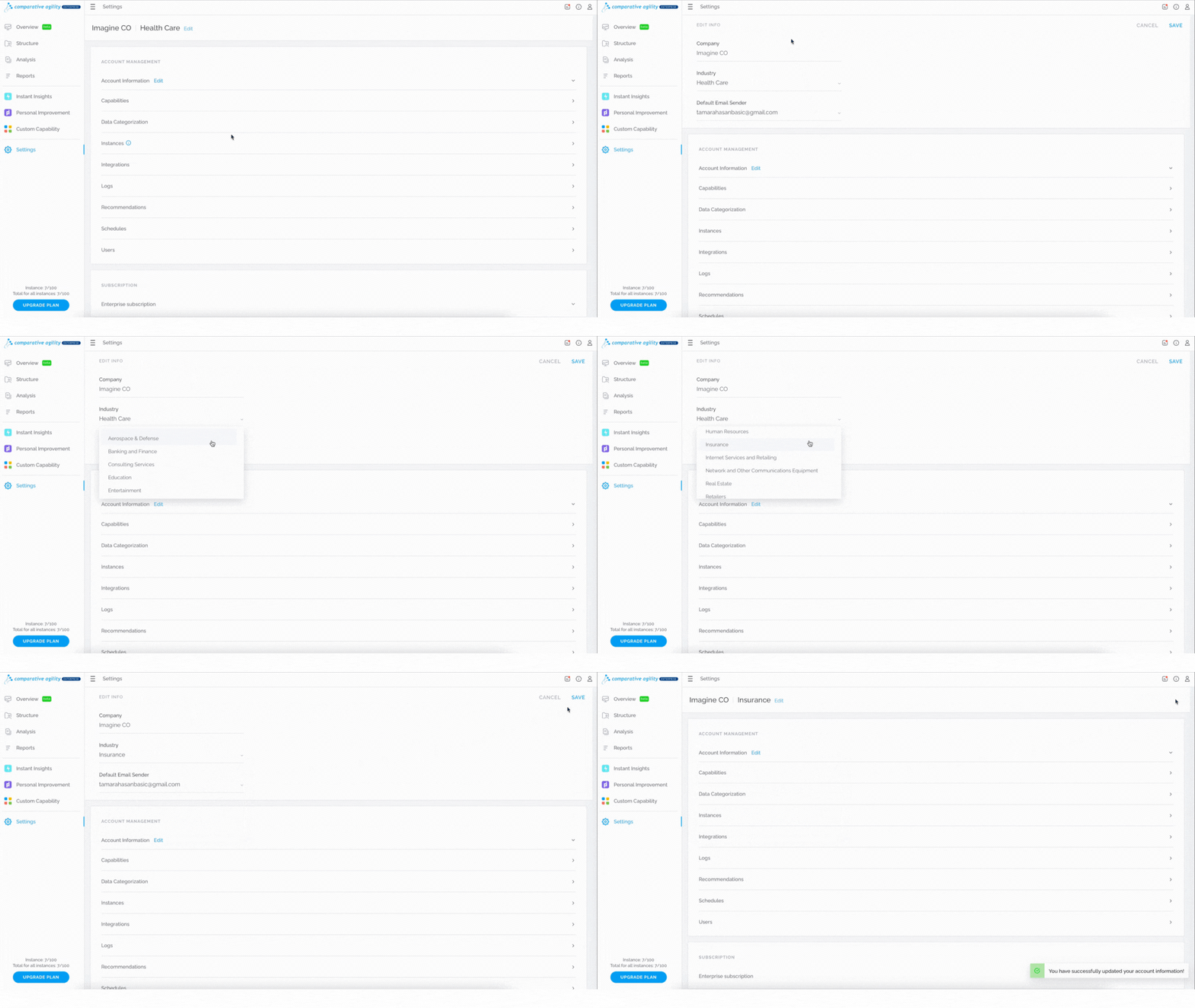
If you would like to update the Industry that you selected while signing up for Comparative Agility, follow these steps:
- Navigate to the Edit button next to the Company name
- Click on the dropdown menu
- Select the Industry
- Click on the Save button
In the short video below we show you how to update the Industry
 To learn more on how to update the default email sender, please visit our Help Center article Default Email Sender.
If you ever need any assistance or have any questions please reach out to our support team at support@comparativeagility.comand we will be more than happy to assist you.