
Editing Report Name
This article will guide you through editing the report name.
Navigating to the Reports Screen
- Log in to your Comparative Agility account
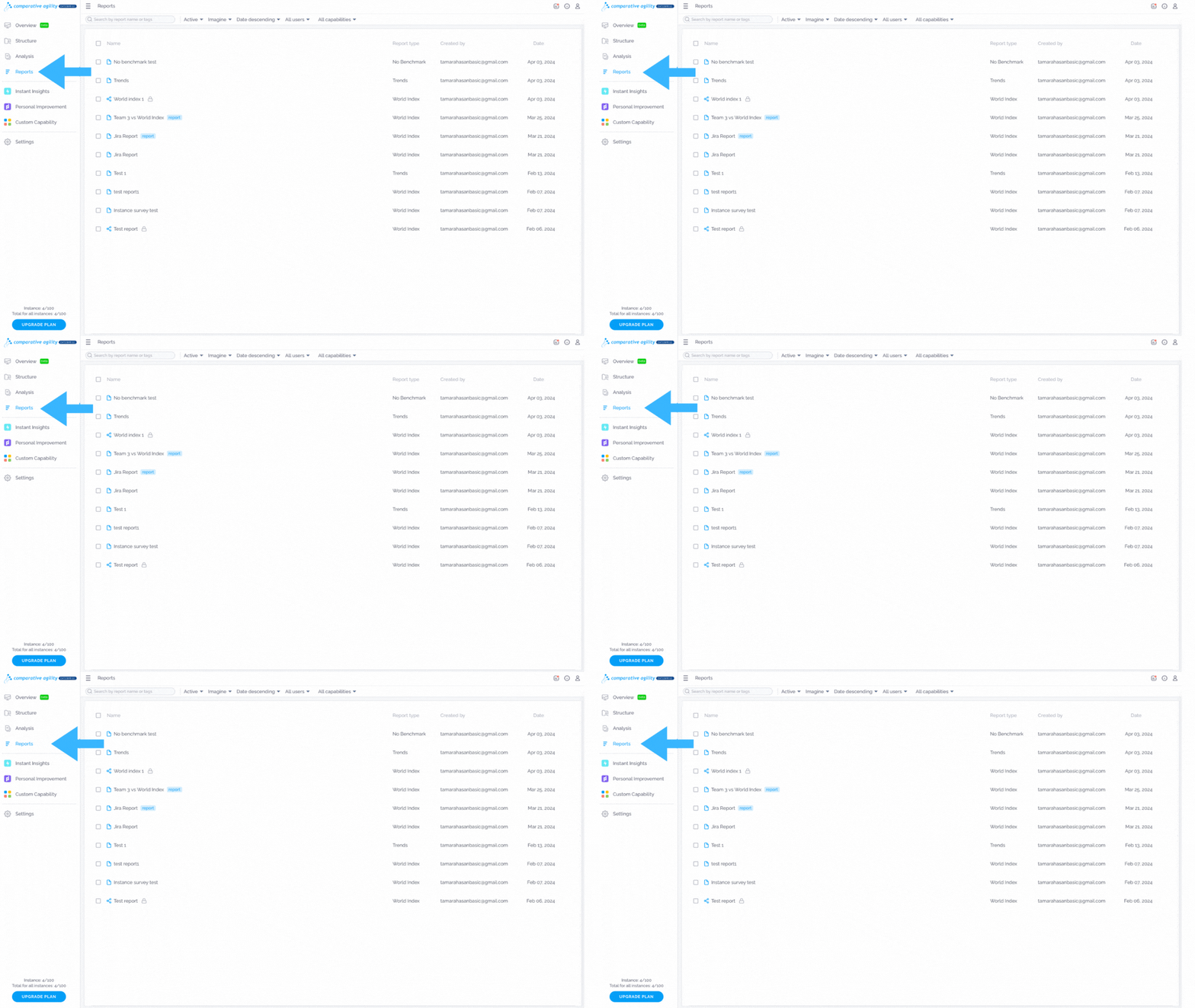
- Open Reports
The screenshot below will show you where to find the report screen
Edit report name
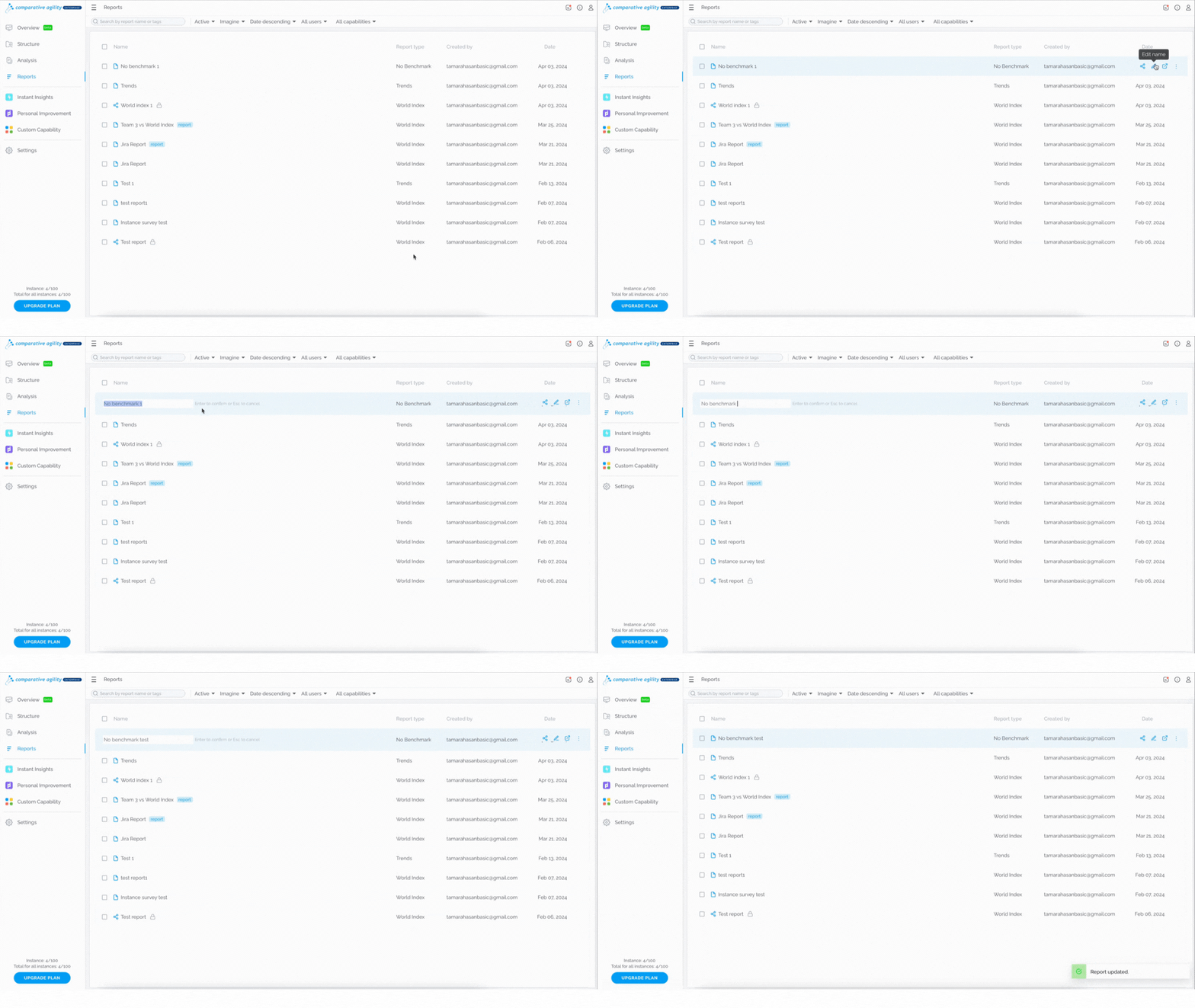
To edit the report name, simply:
- Click on the Edit name button
- Update the name
- Press Enter on your keyboard to save
In the screenshot below we show you how to edit the report name
 To learn more about managing the reports, please visit our Help Center article Reports Screen.
If you ever need any assistance or have any questions please reach out to our support team at support@comparativeagility.comand we will be more than happy to assist you.