Getting Started with Comparative Agility
Create Your Team or Structure
Section titled “Create Your Team or Structure”Define a team or configure your organization’s hierarchical structure, value streams, or geographic splits. Don’t worry - this structure can be updated as your organization changes and evolves.
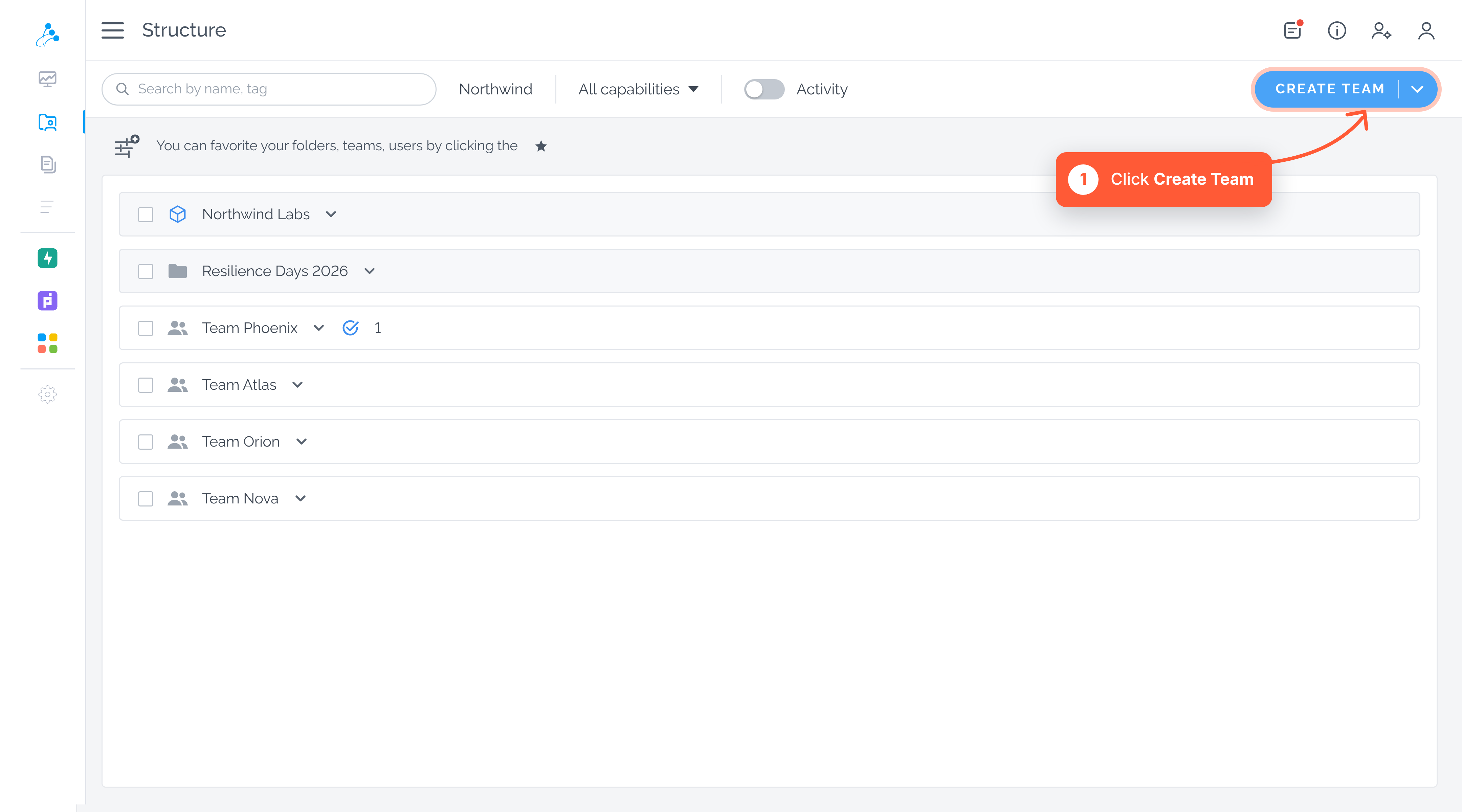
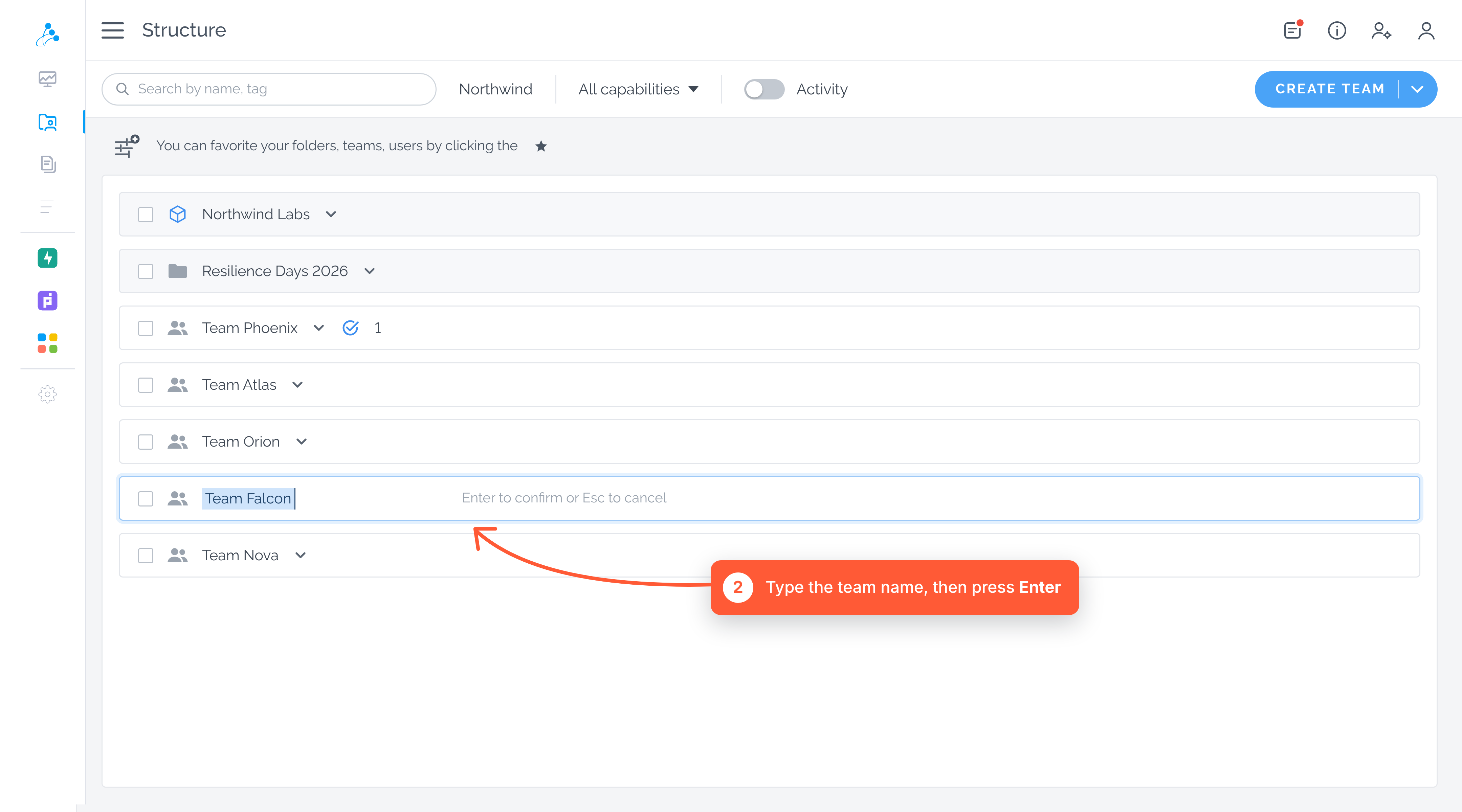
Type in a name
Section titled “Type in a name”In case you would like to continue with your structure after creating a folder or a team, follow these steps:
- Navigate to the folder icon on the specific team or folder
- Choose between creating a parent folder, child folder, or child team
- Name it
- Press Enter to save changes
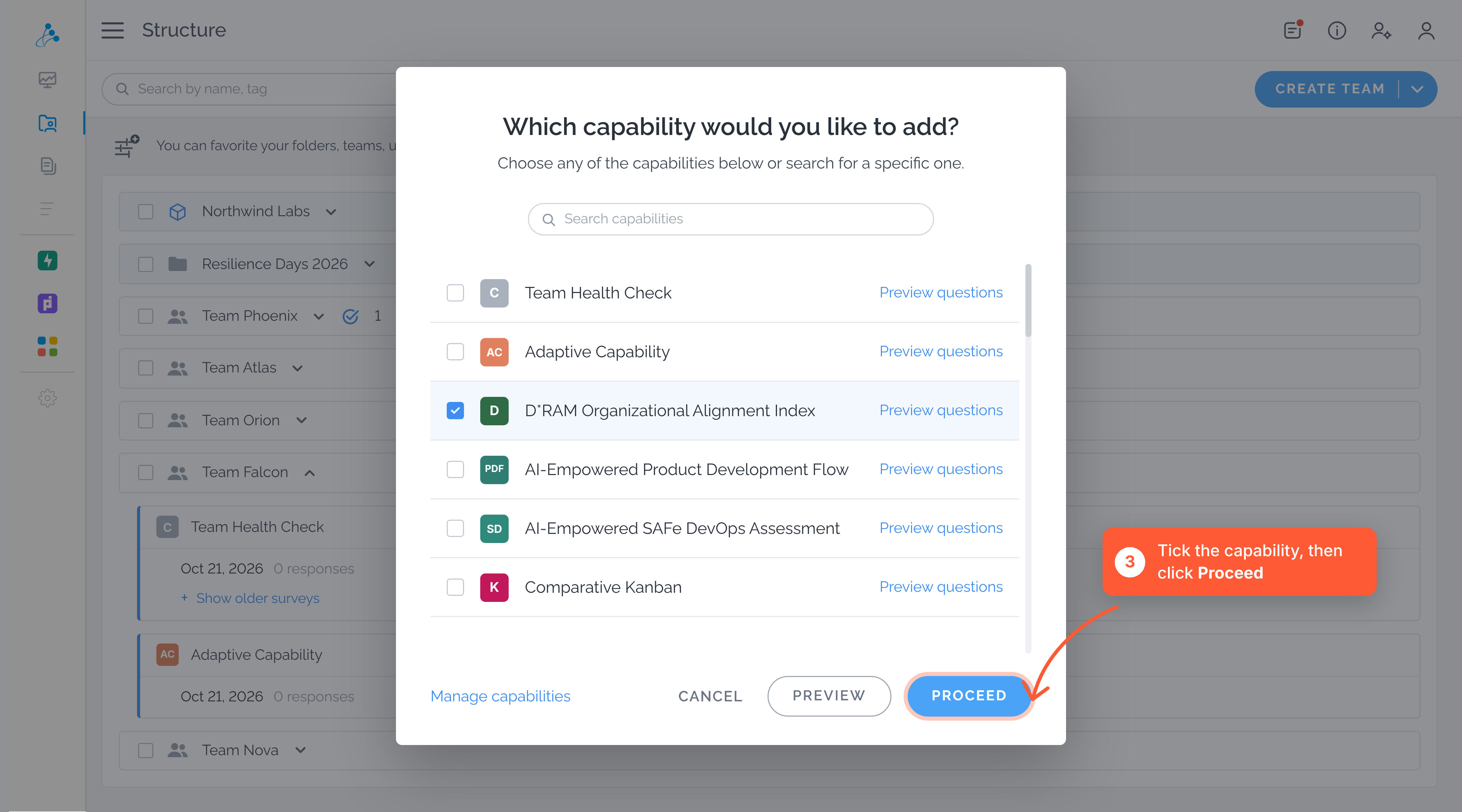
Select and Share a Survey
Section titled “Select and Share a Survey”Choose a survey that fits your unique context. Share it with your team to collect responses via email or a direct link, or engage your team with our real-time facilitator mode.
Gather Team Feedback
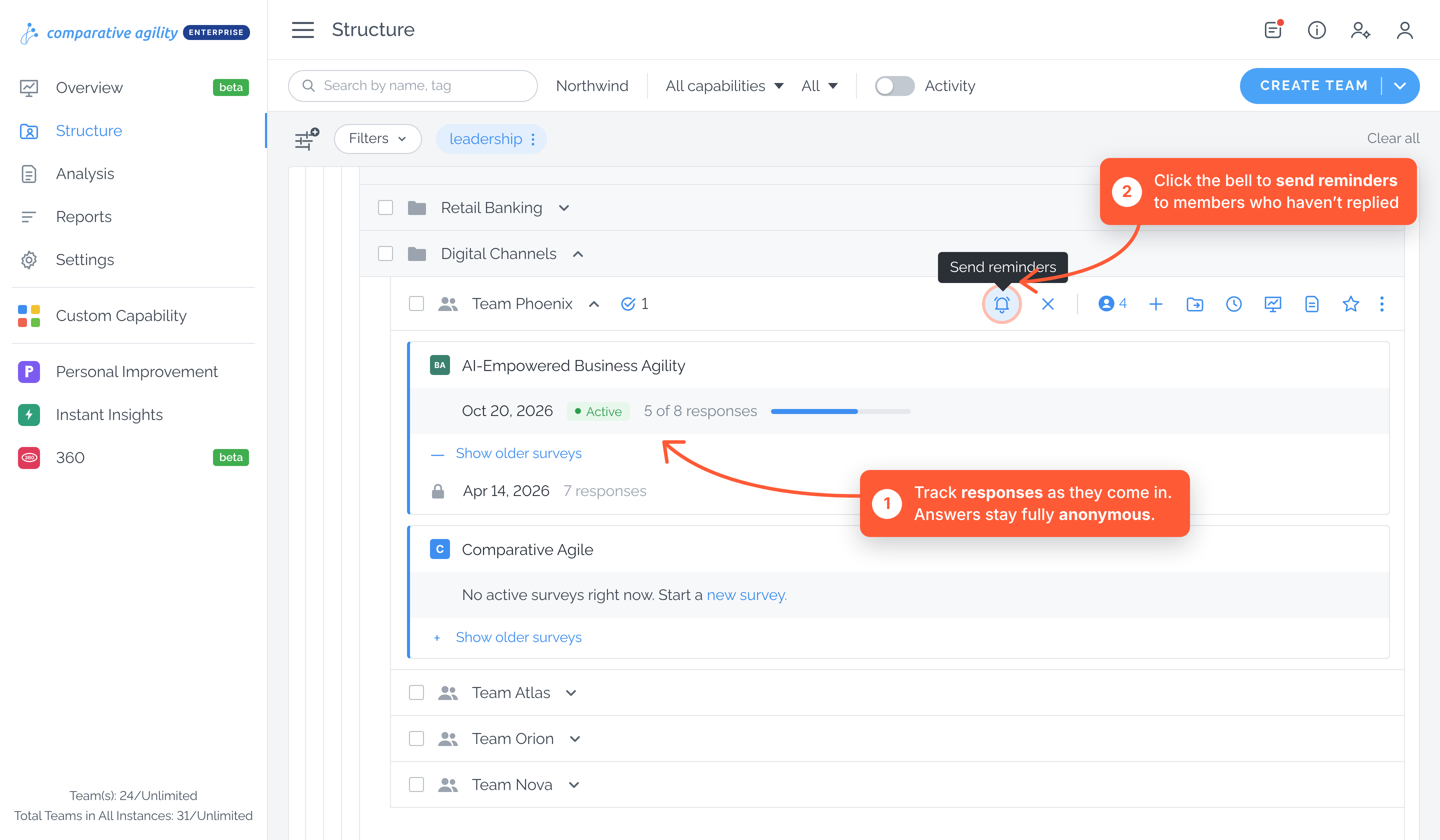
Section titled “Gather Team Feedback”Collect team responses, and if needed, send out reminders to ensure everyone’s voice is heard. All information collected is kept completely anonymous.
Performing Analysis
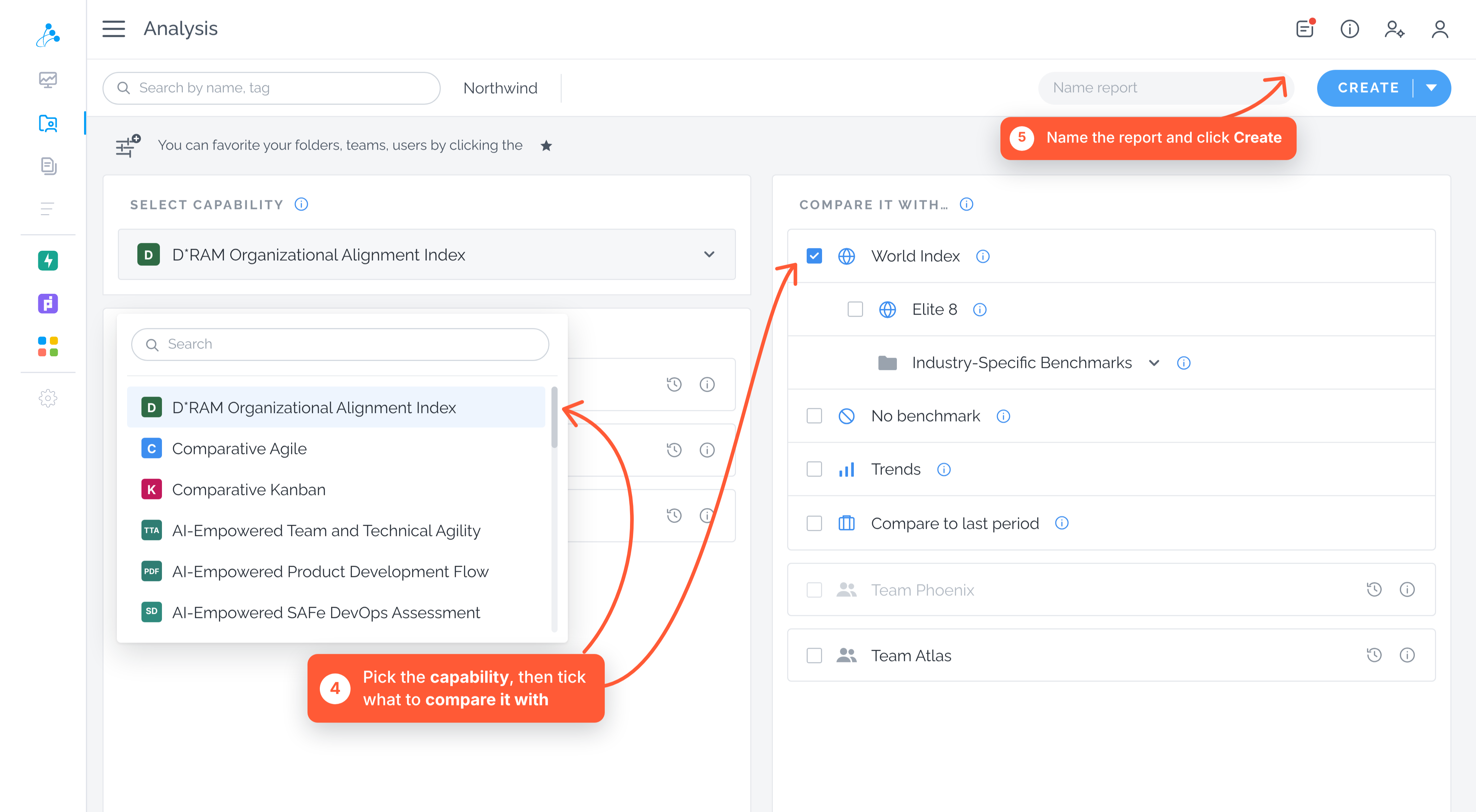
Section titled “Performing Analysis”To generate a report, choose the target set and comparison set on the Analysis Screen. The left panel offers a comprehensive view of your organization’s assessment results, while the right panel enables you to compare your data with benchmarks and other reference points for insightful analysis.
Run a Report
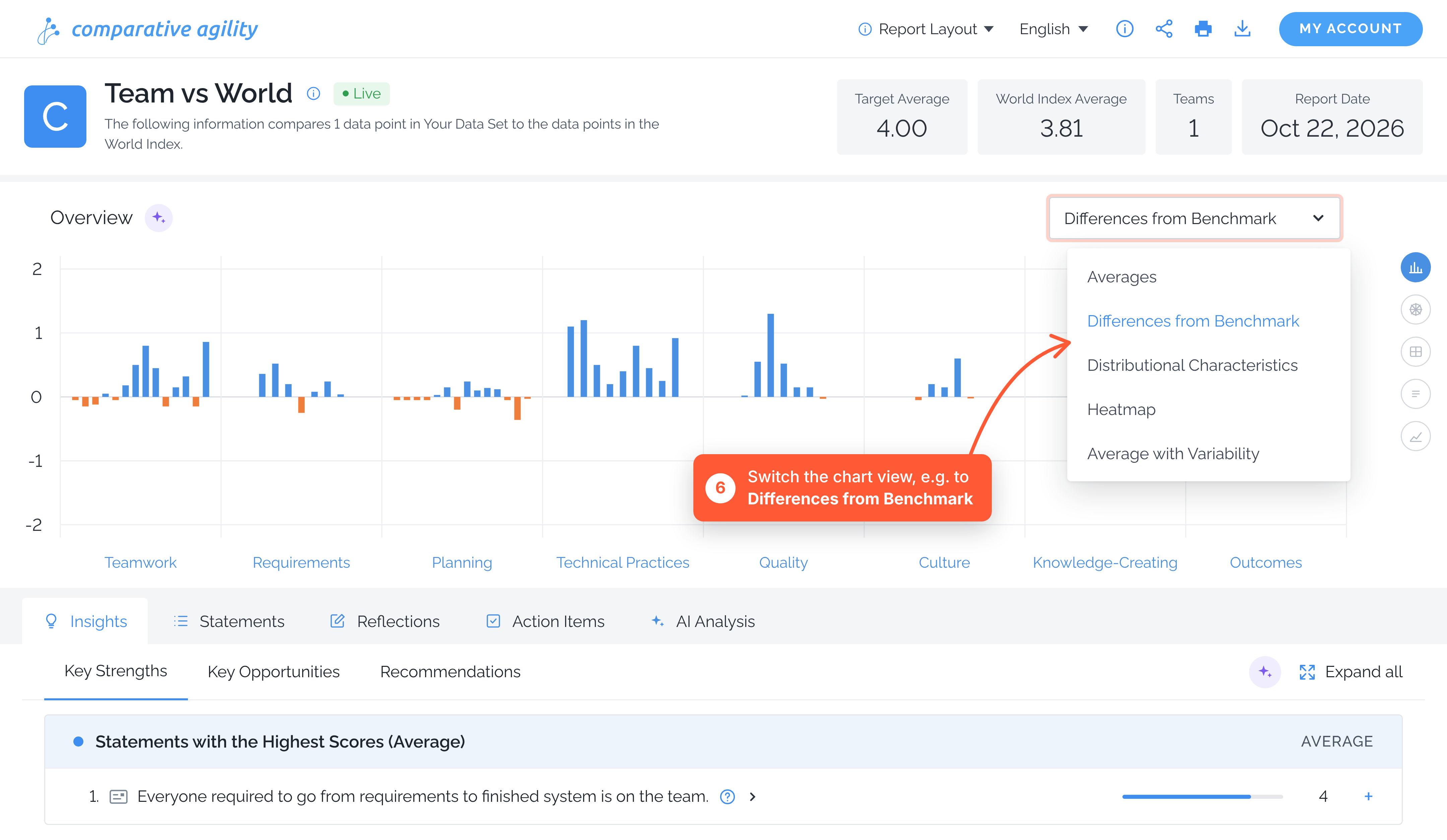
Section titled “Run a Report”Once your report is ready, it is time to understand the data, gather insights, & identify strengths & opportunities for improvement. We use a variety of charts and statistical techniques to visualize the data and identify relevant recommendations, helping you accelerate decision-making.
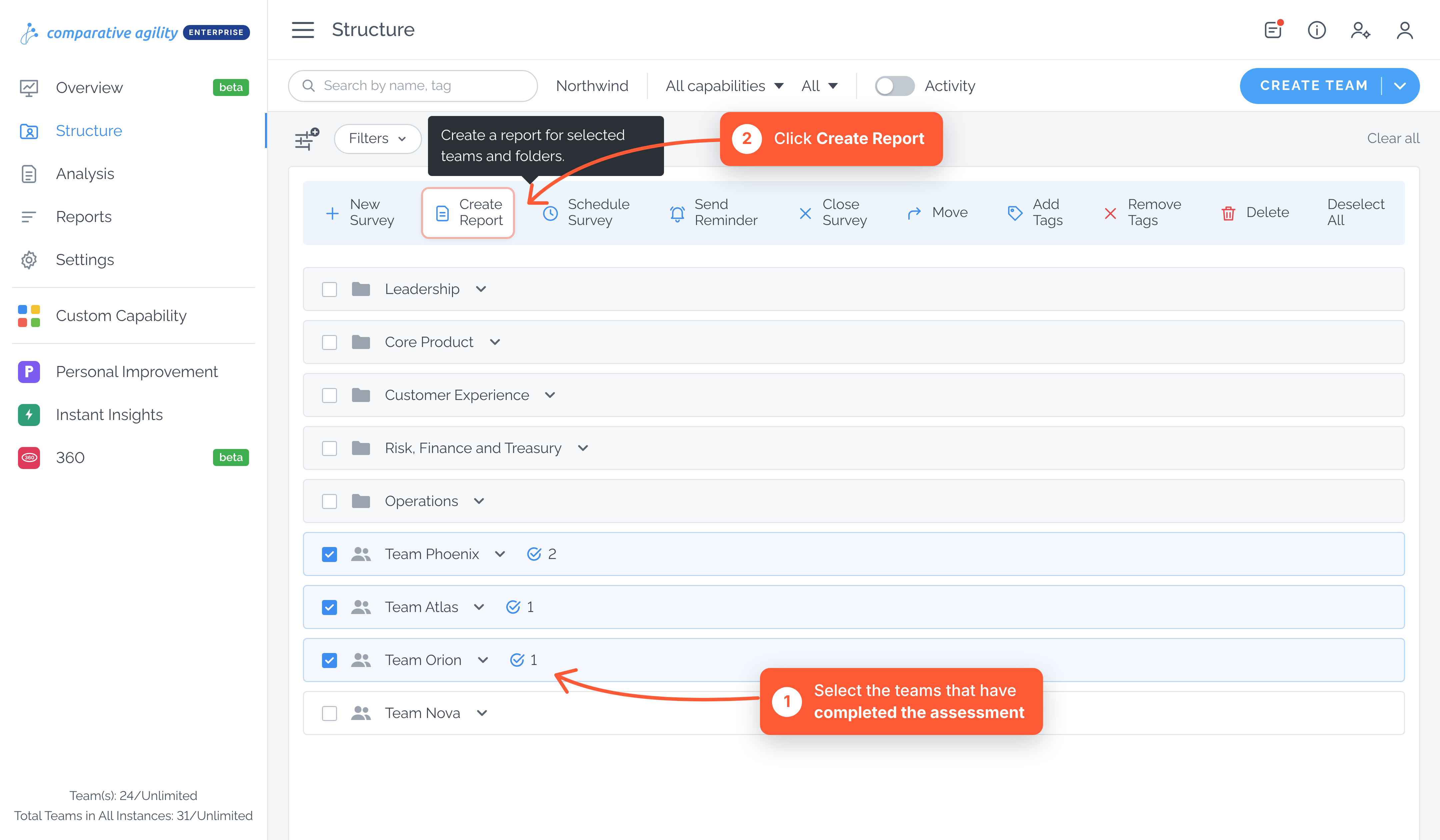
Creat a Report from Structure
Section titled “Creat a Report from Structure”Another way to create your report is directly from the structure screen. The new report creation flow starts where your teams already live — in the Structure screen. From there, you can select the teams you want to analyze and turn them into a report without switching views.
To use this feature, the teams you select must already have completed the assessment and have responses available. This ensures that the report can be generated with meaningful, comparable data.