Recommendations
Overview
Section titled “Overview”This article will guide you through the process of managing and creating recommendations within the platform. There are three types of recommendations available:
- CA-Curated Recommendations: These recommendations are generated by AI and curated by Comparative Agility experts. They provide valuable insights based on data analysis and industry best practices.
- Author Recommendations: Created and edited by experts and authors within Comparative Agility, author recommendations offer specialized insights tailored to specific assessments.
- Custom Recommendations: Users have the ability to create their own recommendations, allowing for a personalized approach to improving agility within their organization.
Additional information
- Click Settings
- Click main
- Click Recommendations
Enabling and Disabling Recommendations
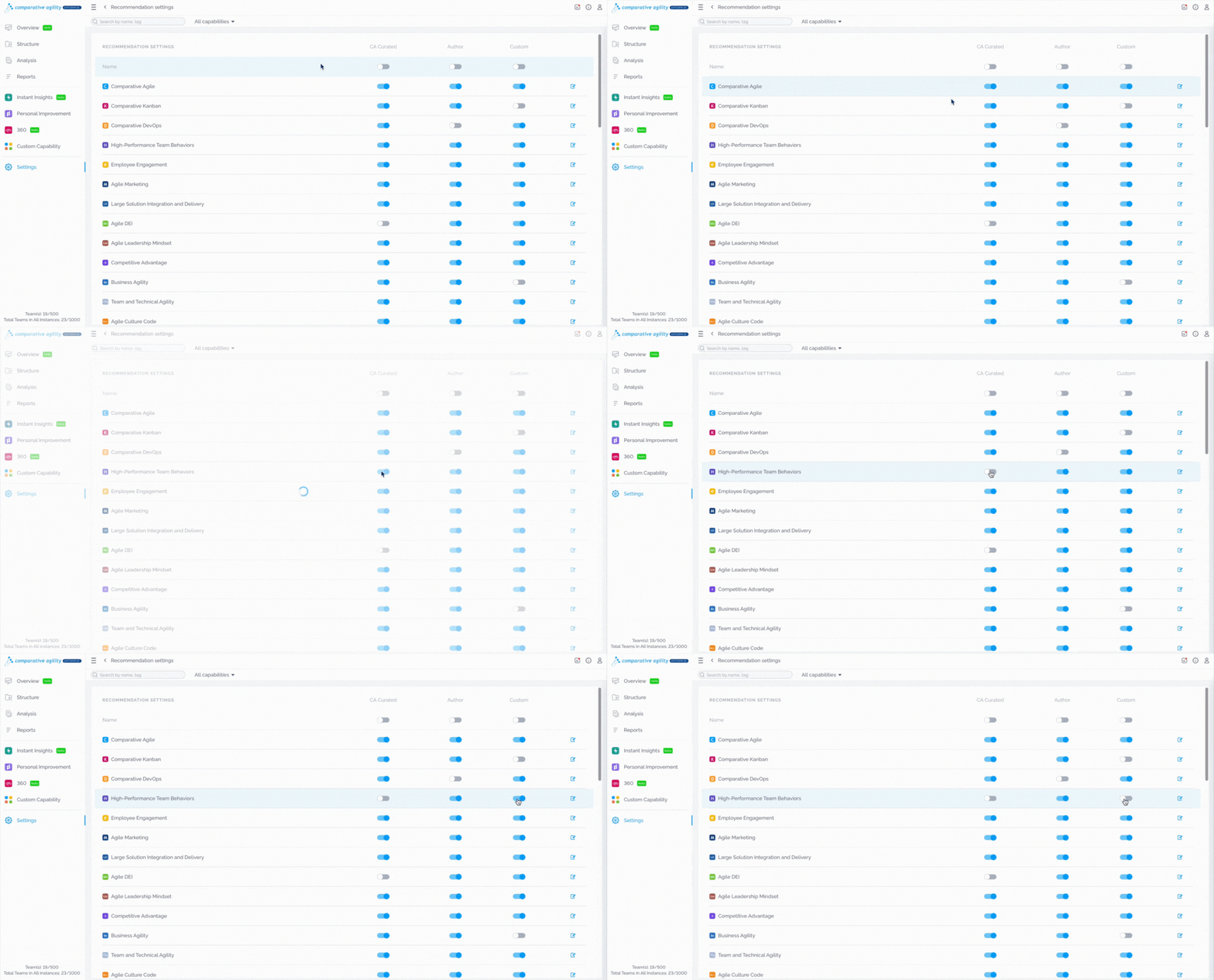
Section titled “Enabling and Disabling Recommendations”Recommendations can be enabled or disabled using the toggle switch next to each recommendation. This allows you to control which recommendations are visible to users.
Creating Custom Recommendations
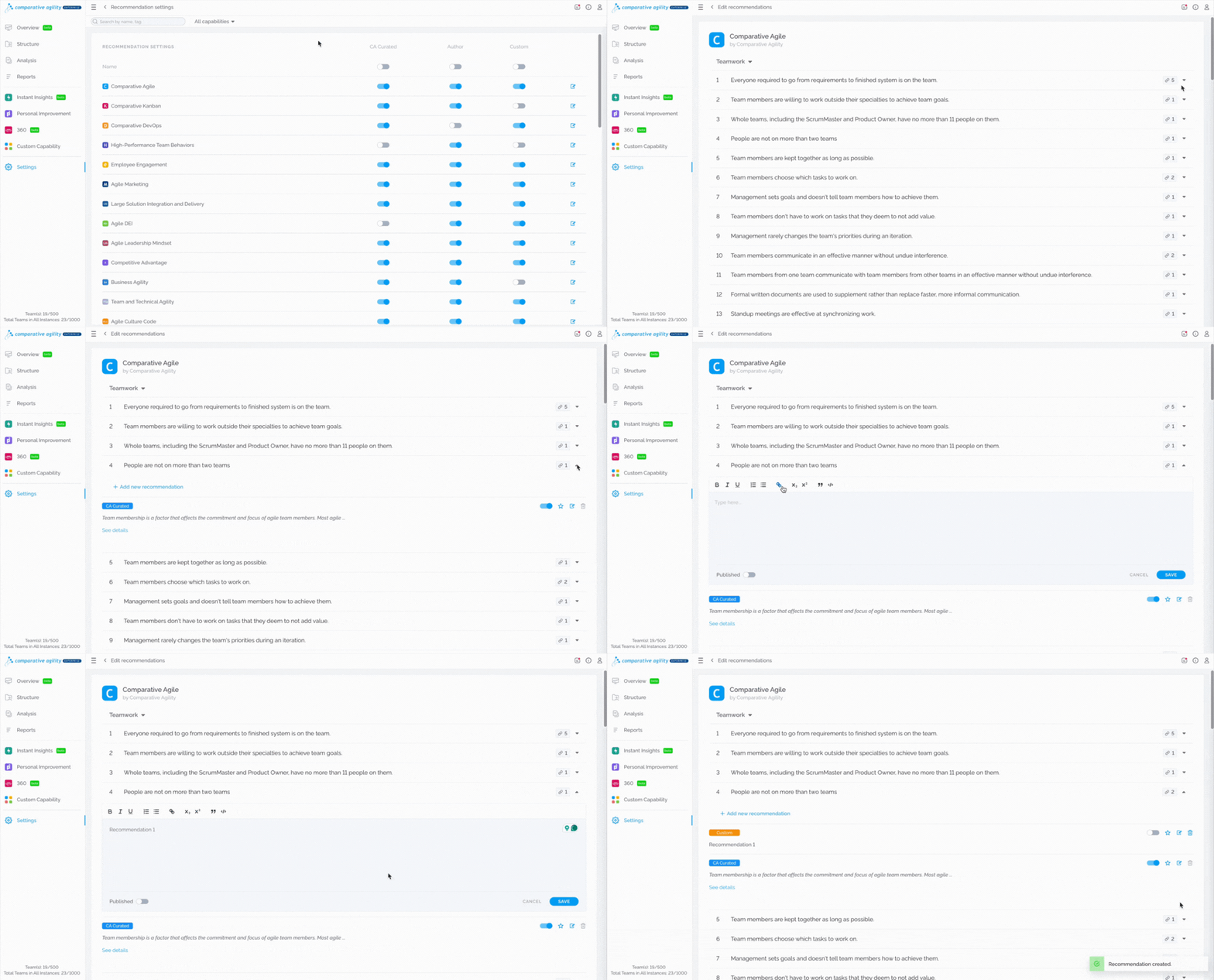
Section titled “Creating Custom Recommendations”To create custom recommendations, simply:
-
Open the dropdown menu next to desired statement
-
Click on the Add New Recommendation button
Viewing Recommendations
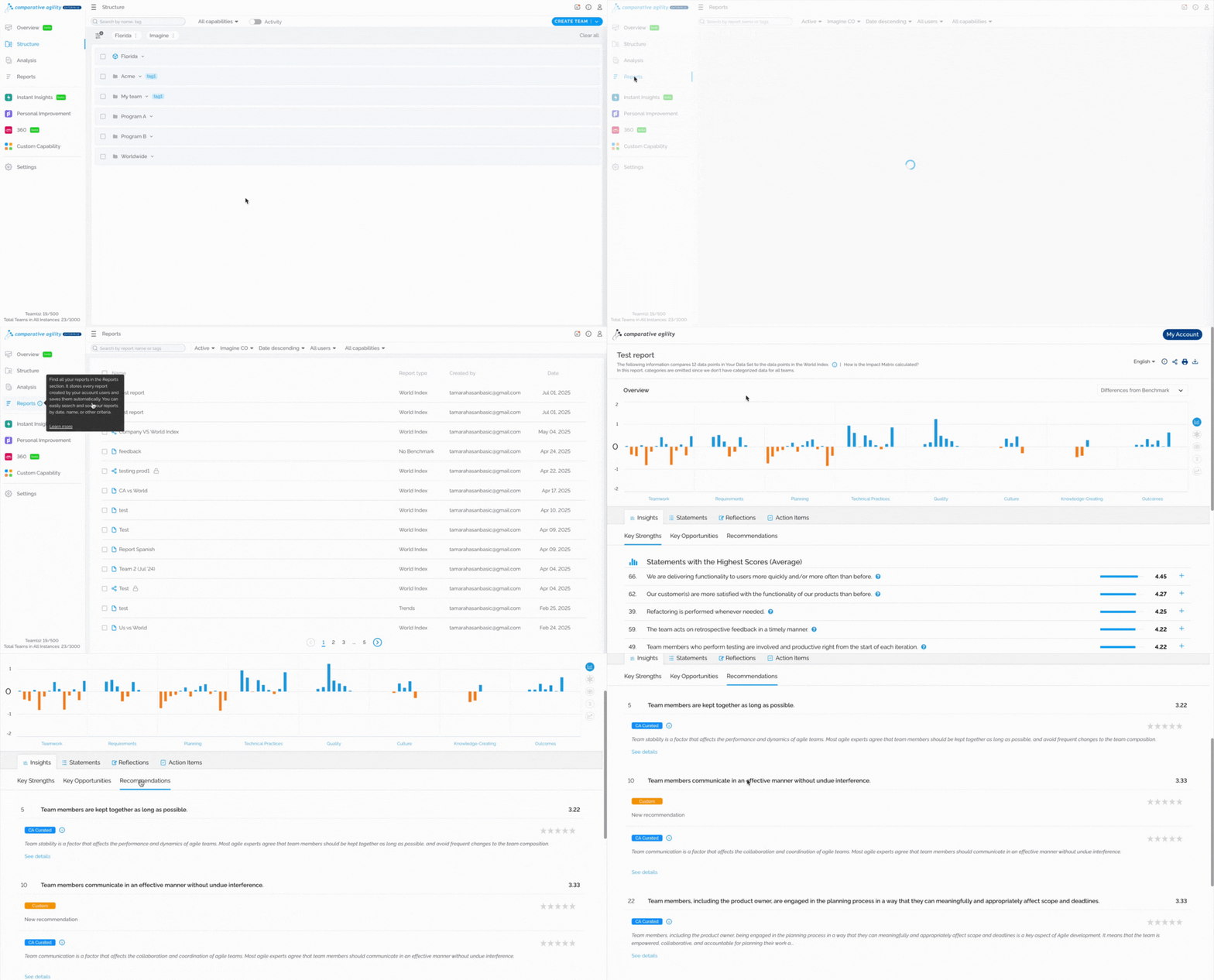
Section titled “Viewing Recommendations”Recommendations are accessible in the Reports within Comparative Agility. They are listed based on your assessment score, starting with those whose statements have the lowest score or where improvements are needed.